Deployment Map
A live Deployment Map is available under Sessions > Deployment Map tab, giving admins and managers a real-time view of worker positions across a venue.
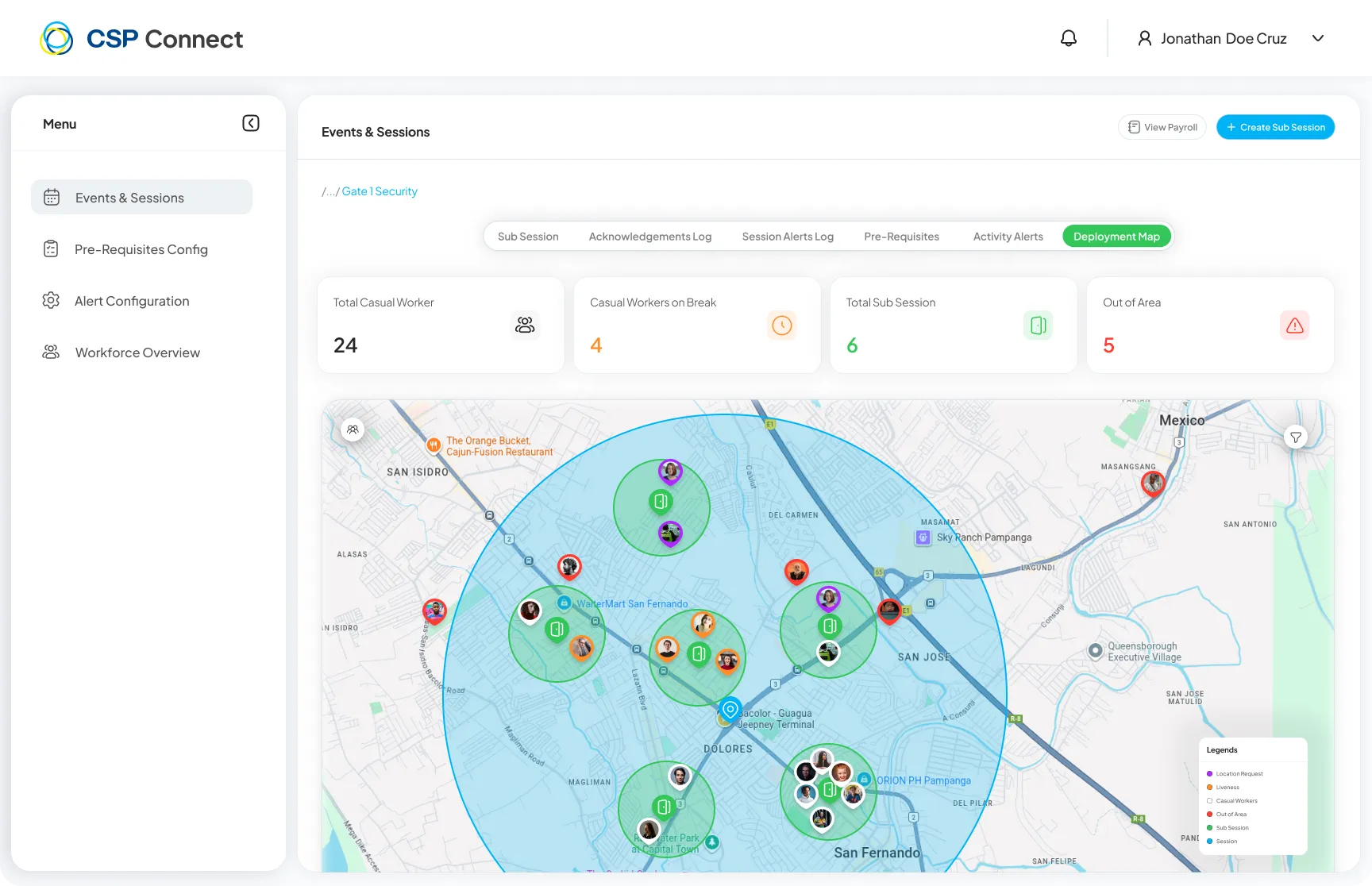
The stats bar at the top shows Total Casual Workers, Casual Workers on Break, Total Sub Sessions, and Out of Area counts at a glance.
Features
Section titled “Features”- Filter workers in the session pool individually or in bulk.
- Toggle overlays for:
- Liveness status
- Location requests
- Check-in and check-out markers
- Break events
- Worker movement trails are displayed to aid real-time tracking across large venues.
Worker Filter Panel
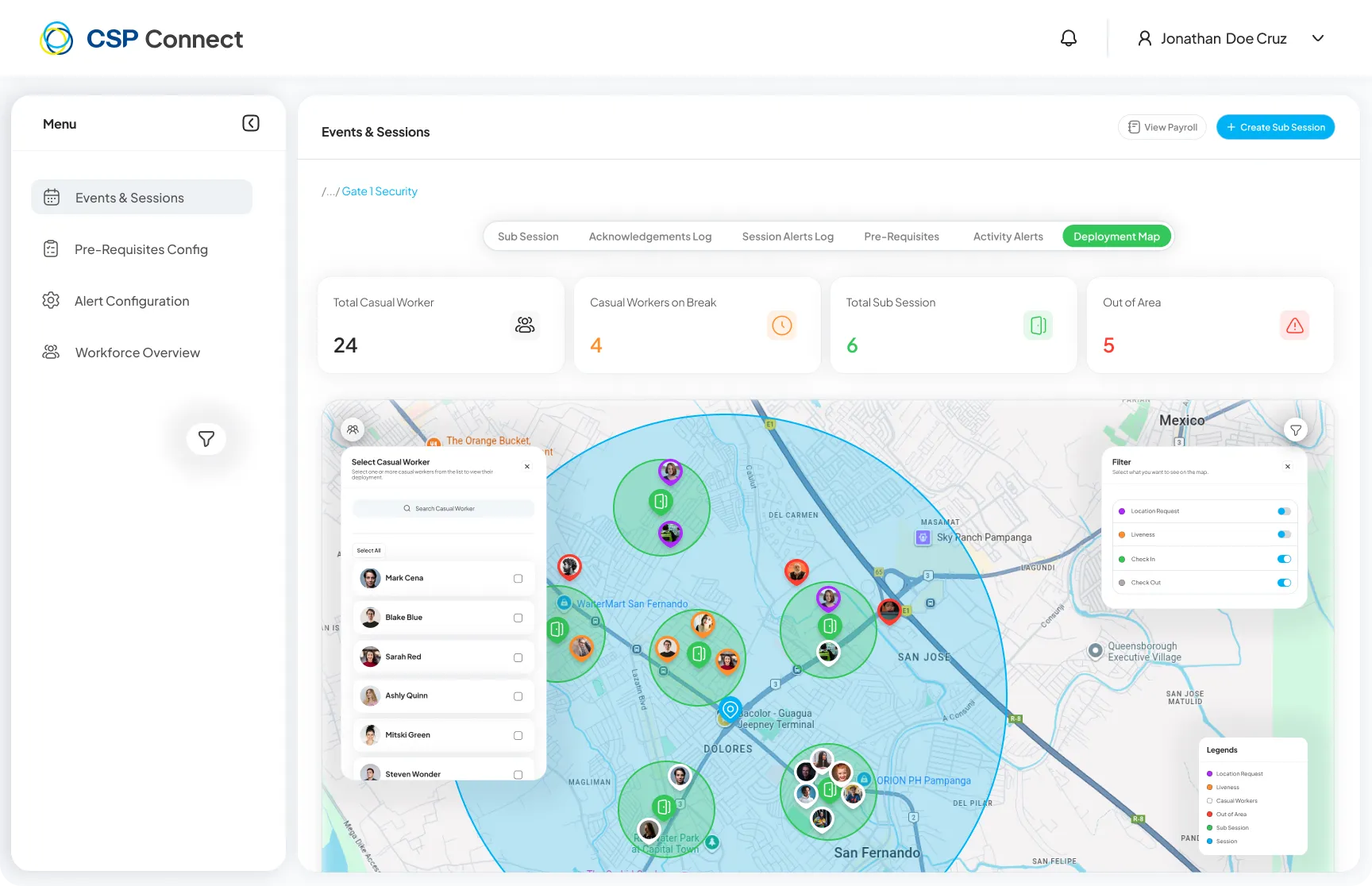
Section titled “Worker Filter Panel”Click the filter icon on the map to open the worker list panel and select specific workers to track.
Worker Details Panel
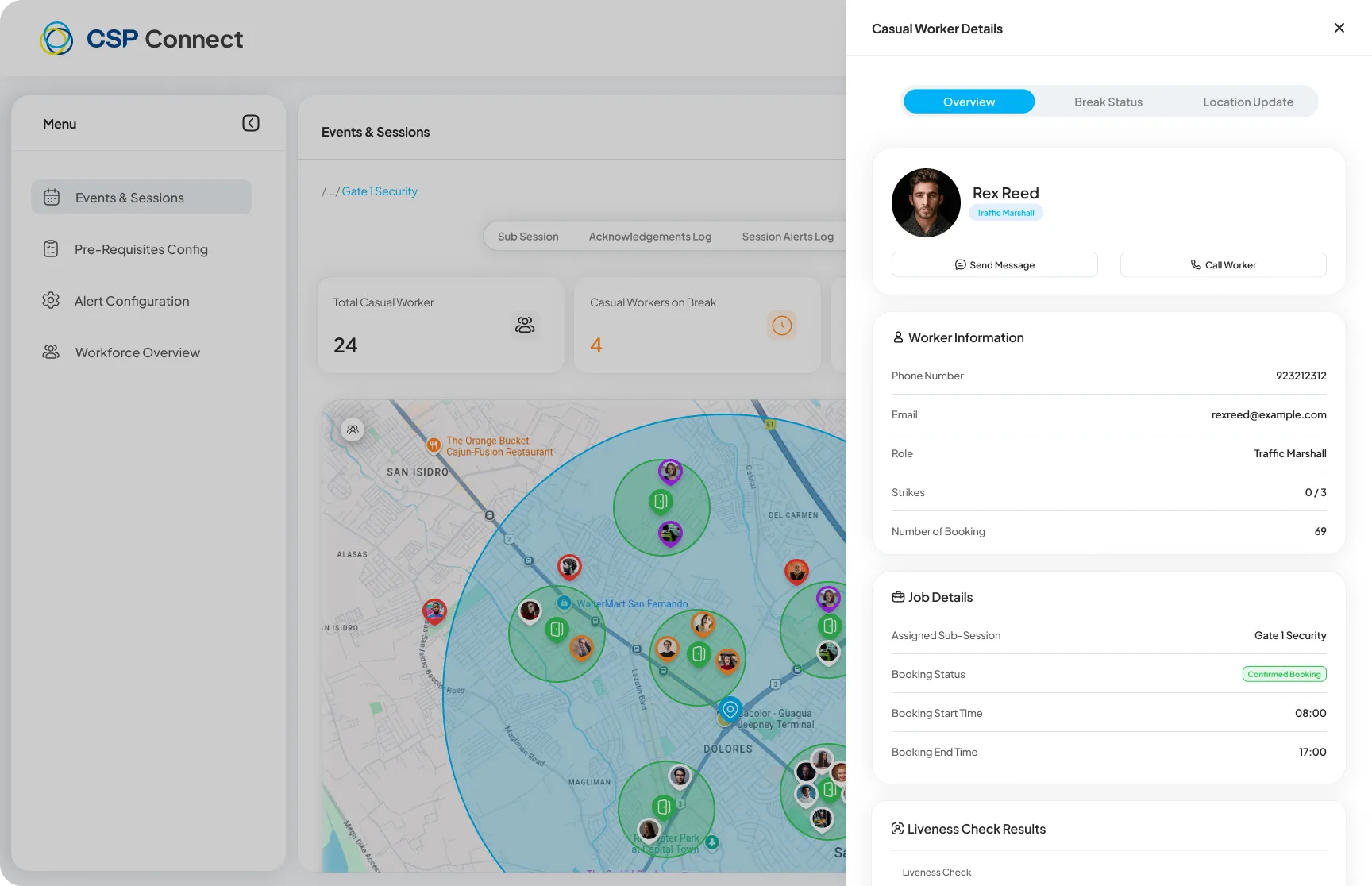
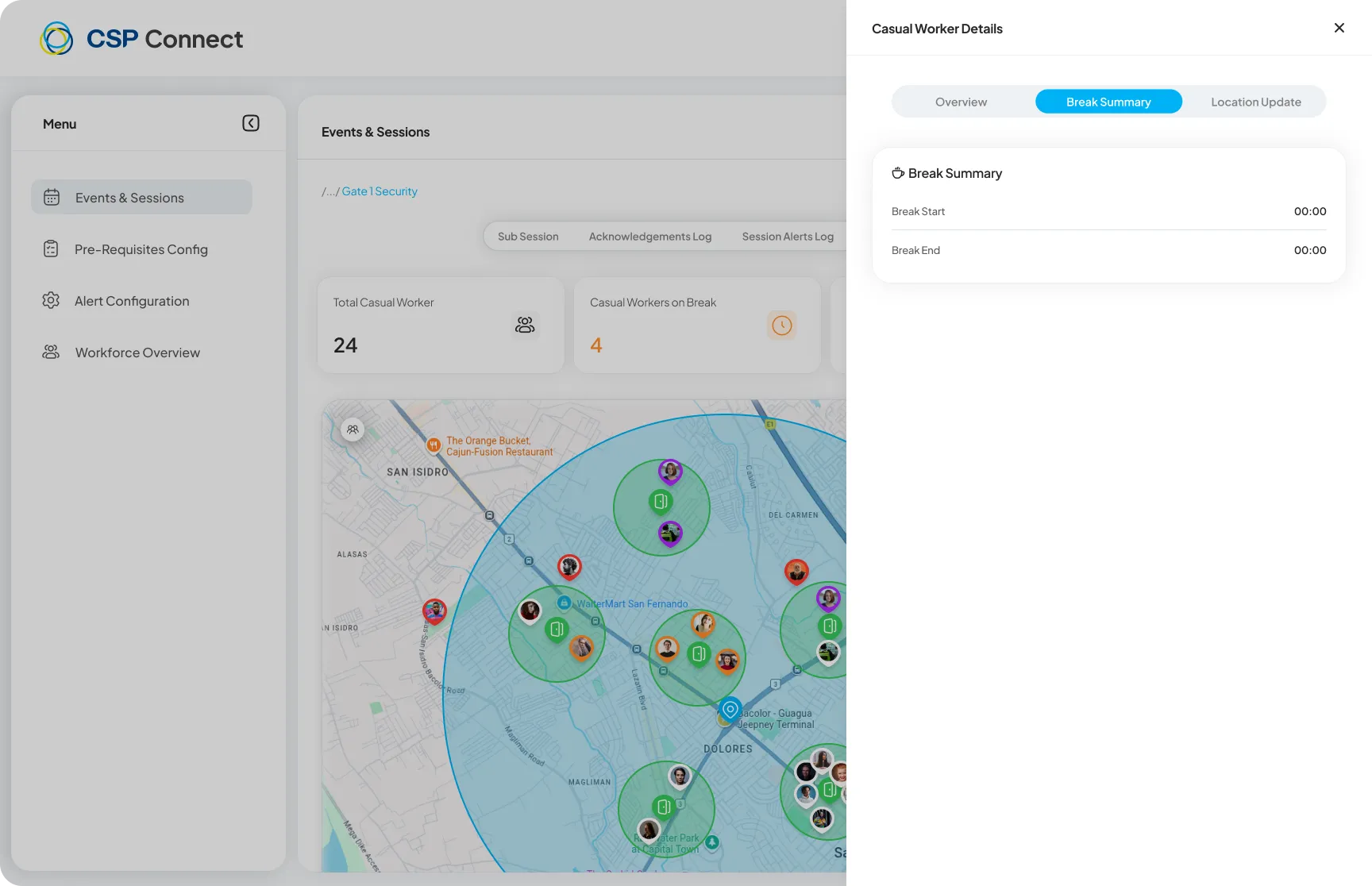
Section titled “Worker Details Panel”Click any worker pin on the map to open their Casual Worker Details panel. This panel has three tabs:
Overview
Section titled “Overview”Displays the worker’s contact details, role, booking status, booking times, and liveness check results.
Break Summary
Section titled “Break Summary”Shows the worker’s break start and end times for the session.
Location Updates
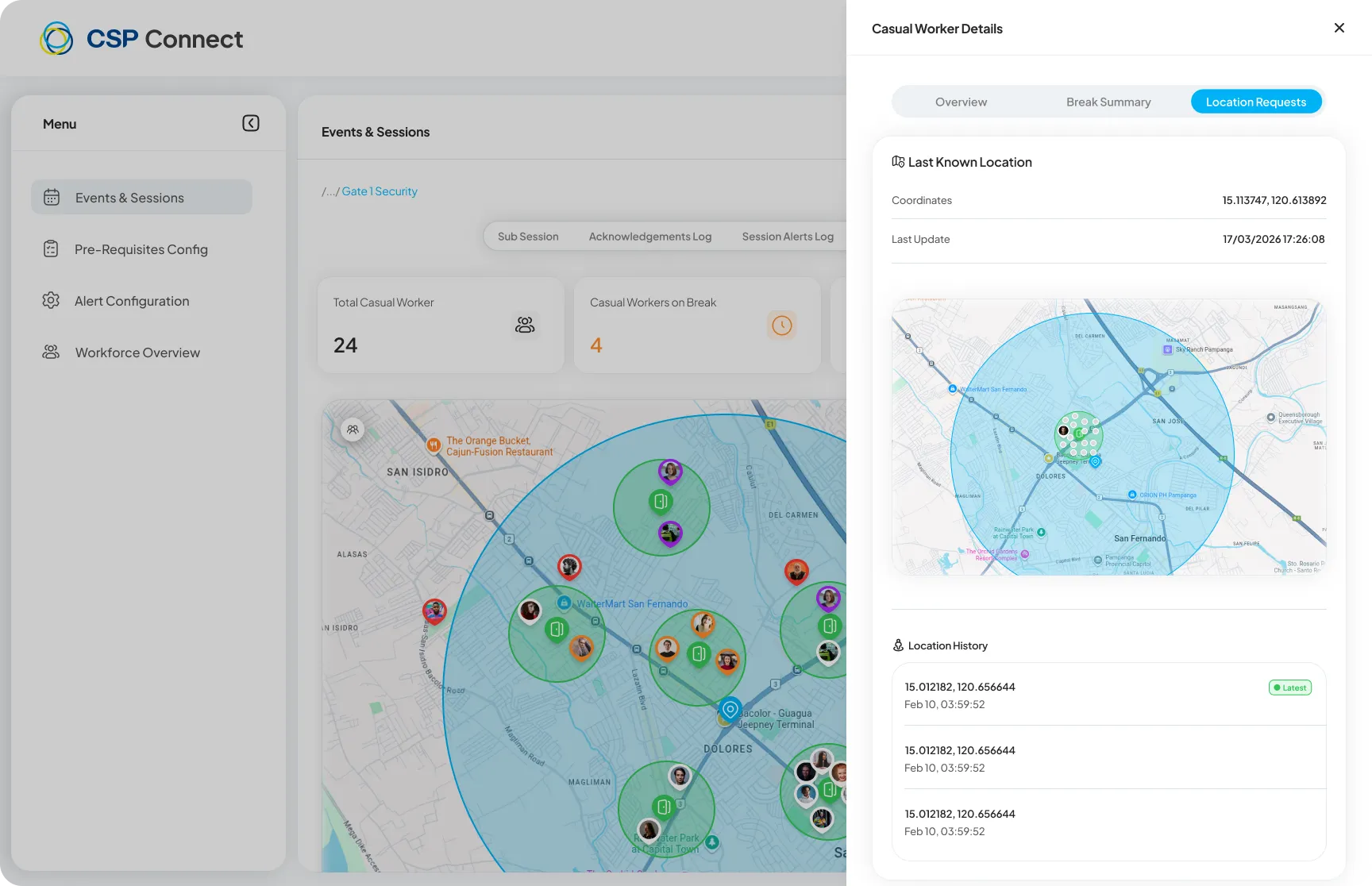
Section titled “Location Updates”Displays the worker’s last known GPS coordinates and full location history.