

Changelog
Every update, fix, and feature shipped to CSP Connect.
Unreleased
v[1.3.0]
Latest Unreleased
Added
Web
- Finance role - A new Finance role gives designated users access to the Finance module, including event-level rate breakdowns navigable by month. This role replaces the previous Client role.
- Supervisor role - A new Supervisor role provides read-only access across all screens including sessions, attendance, worker profiles, and the dashboard. Supervisors can be assigned to specific sessions with date-scoped access but cannot perform any actions.
- GDPR data masking for Supervisors - GDPR details and email addresses are fully hidden from Supervisors. Cellphone numbers show only the last 3 digits.
- Alert configuration — manager reminder sequence - Managers can now configure a full session lifecycle alert sequence covering worker reminders before sessions start, incomplete attendance after sessions end, late checkout nudges, and more. When applying alerts across multiple sessions in a group, the system detects partial coverage and shows which sessions already have the alert, applying it only to the remaining ones.
- Induction as a prerequisite - Admins can now set Induction as a prerequisite type when configuring session requirements.
- Document attachment on prerequisite template creation - The Prerequisites Config page now supports attaching documents when creating a new prerequisite template.
- Formula tooltips in Workforce Overview - Hovering over data cards now shows a tooltip explaining the formula behind each metric, including Attendance Rate and On Time Rate.
- Extended hours enhancement - When a worker exceeds their booking end time, managers can approve a specific number of minutes to reflect on payroll. Partial approvals are supported — a manager does not have to approve the full duration worked. A note is required before submitting.
- Dashboard attendance totals filtered to live sessions only - Check-in and check-out totals on the dashboard now only reflect events that are currently live. Future, past, and draft events are excluded.
- Force check-in modes - Admins and managers can force check-in a worker through three modes: immediate (defaults to booking start), minute offset (adjusts relative to actual presence), and booking start time. No direct timestamp entry is allowed.
- Force checkout modes - Force checkout now supports three modes: immediate, scheduled timer (manager-defined duration), and booking end time. No manual timestamp entry is allowed in any mode.
- Real-time worker status labels on session list - The casual worker list now shows live status labels per worker: On Site, On Position, On Break, Late Acknowledged, Liveness Requested, and Liveness Pending. Labels update in real time.
Kiosk
- Induction acknowledgement - Workers can acknowledge induction requirements from the kiosk tablet during on-site check-in.
Mobile App
- Induction acknowledgement - Workers can now acknowledge induction requirements directly from the mobile app.
Changed
Web
- Check-in time rounding logic - Check-in times are now rounded based on a first-minute threshold rule to ensure consistency across payroll records.
Fixed
Web
- Fixed acknowledgement log entries appearing out of order or missing in some sessions.
- Fixed location requests, liveness checks, and extended hours being incorrectly blocked by a “worker must be clocked in” error even when the worker was checked in.
- Fixed roles assigned in AXLR8 not appearing on worker profiles after syncing from AXLR8.
- Fixed inflated Attendance Rate and On Time Rate metrics caused by a participant accumulation bug in Workforce Overview.
Mobile App
- Fixed prerequisites created or updated on the web not syncing to the mobile app in real time.
- Fixed “Break Ending Soon” notifications triggering at the moment a worker set their break duration instead of at the correct time before the break ends.
30 Apr 2026
v[1.2.0]
Added
Web
Dashboard Page
- Dashboard page - New standalone page giving admins and managers a real-time overview of all events and sessions for a selected day. Includes a check-in summary, per-event rows with expandable session breakdowns, a date selector, and manager avatar indicators.
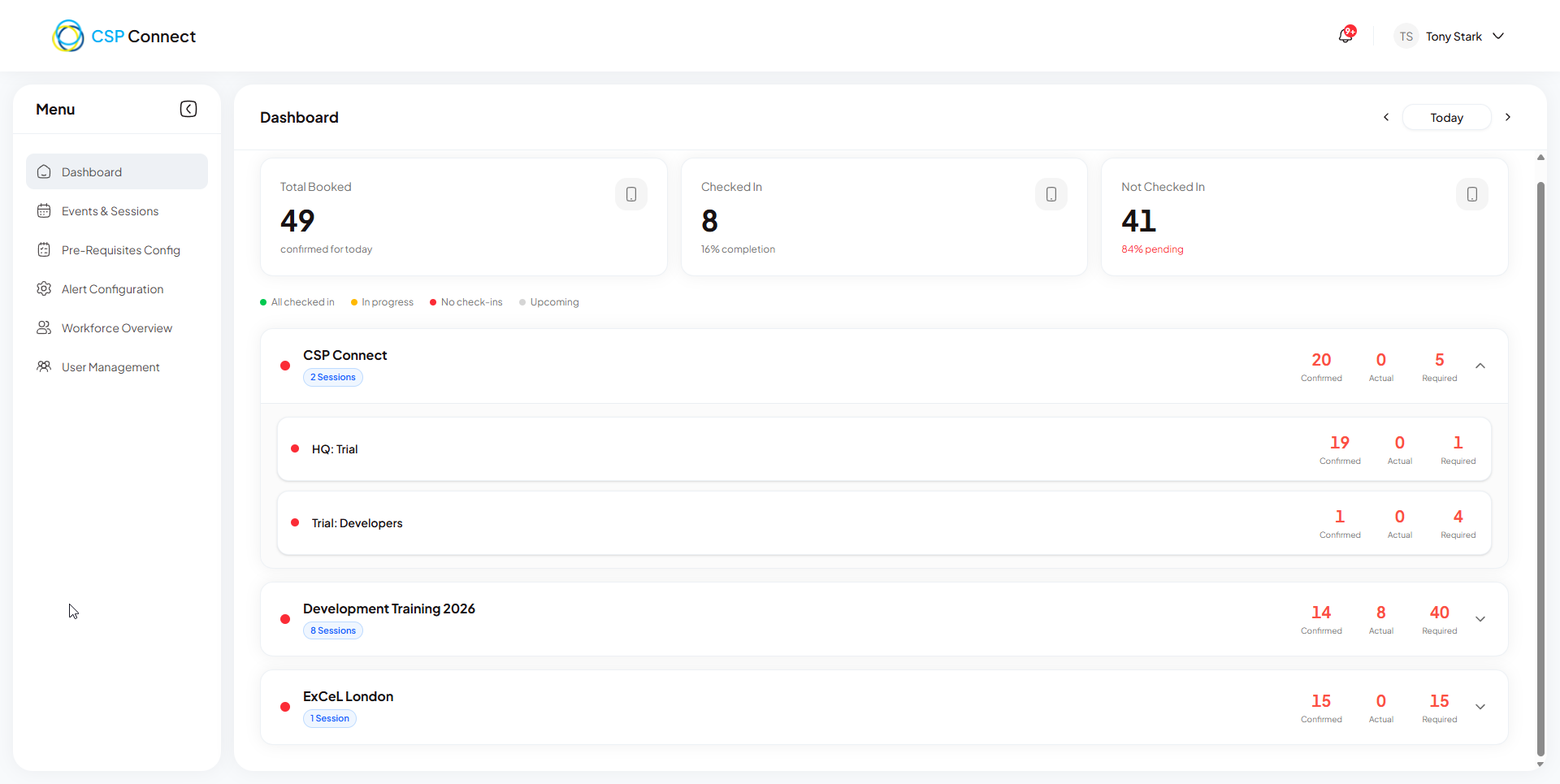
- Dashboard: full-row colour coding - Event and session rows are colour-coded based on live check-in status. Green = all workers checked in and out. Amber = at least one worker has checked in but not all have checked out. Red = no check-ins recorded and the earliest booking start time has already passed. Grey = event has not yet started.
- Dashboard: expandable session rows - Event rows can be expanded to reveal individual session rows. Clicking an event row toggles the session breakdown open or closed.
- Force checkout - Admins and Managers can now forcefully check out workers still marked as checked in. Bulk selection is supported via per-row checkboxes. A mandatory reason is required for every action.
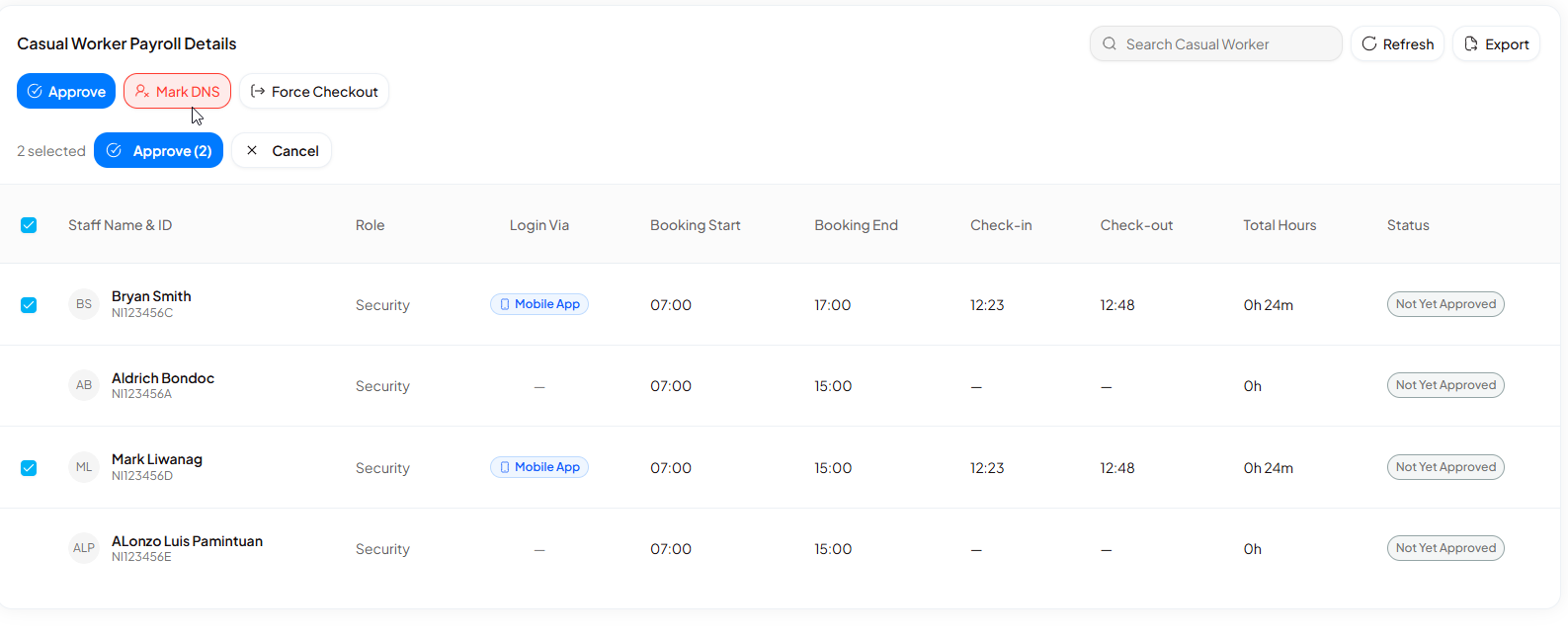
- Force checkout - location field - A location field has been reserved for a future improvement that will capture the manager’s location at time of checkout. No UI is exposed in this release — a “Future improvement” indicator is shown in the modal.
- Events & Sessions - table view toggle - Users can now switch between the existing card view and a new tabulated table view on the Events & Sessions screen. The table displays event title, number of sessions mapped for today and the next 13 days (14-day rolling window), and a 3-dot options button per row.
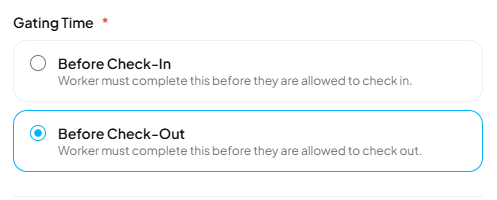
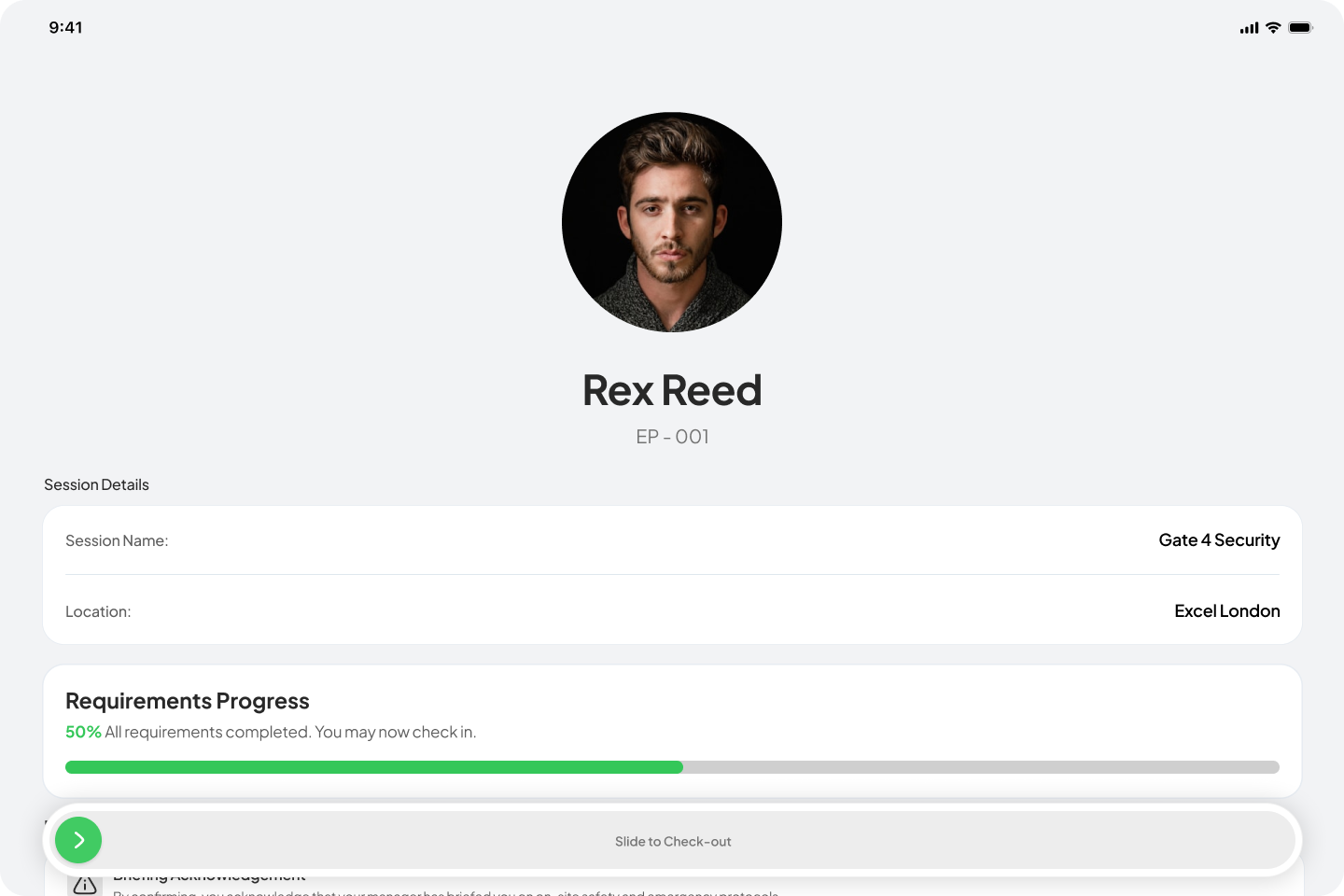
- Pre-requisite gating by check-in / check-out - Managers and admins can now set a gating time on each pre-requisite, choosing between “Before Check-in” and “Before Check-out”. The selected gating time is visible on the session pre-requisites view. Casual workers are presented with check-in pre-requisites before they can check in, and check-out pre-requisites before they can check out.
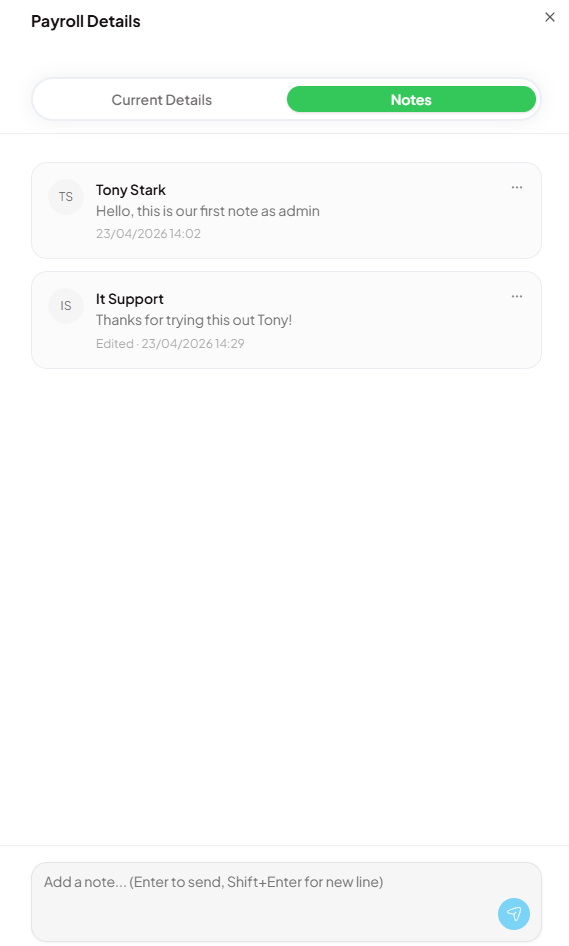
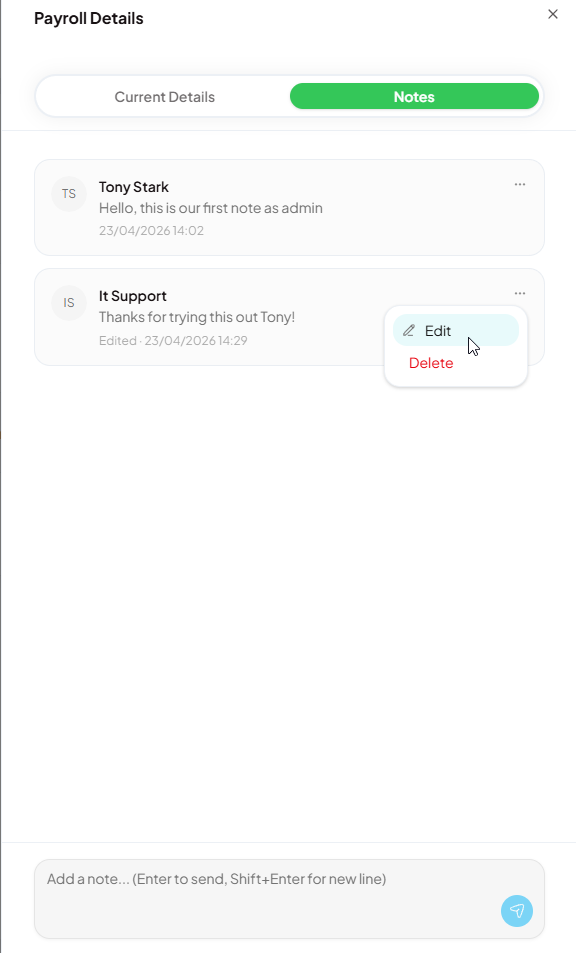
- Payroll - notes tab - The Payroll Details panel now includes a Notes tab alongside the existing Overview tab. Managers can add free-text notes to individual payroll records and view a threaded message history, enabling communication and record-keeping directly within the payroll workflow.
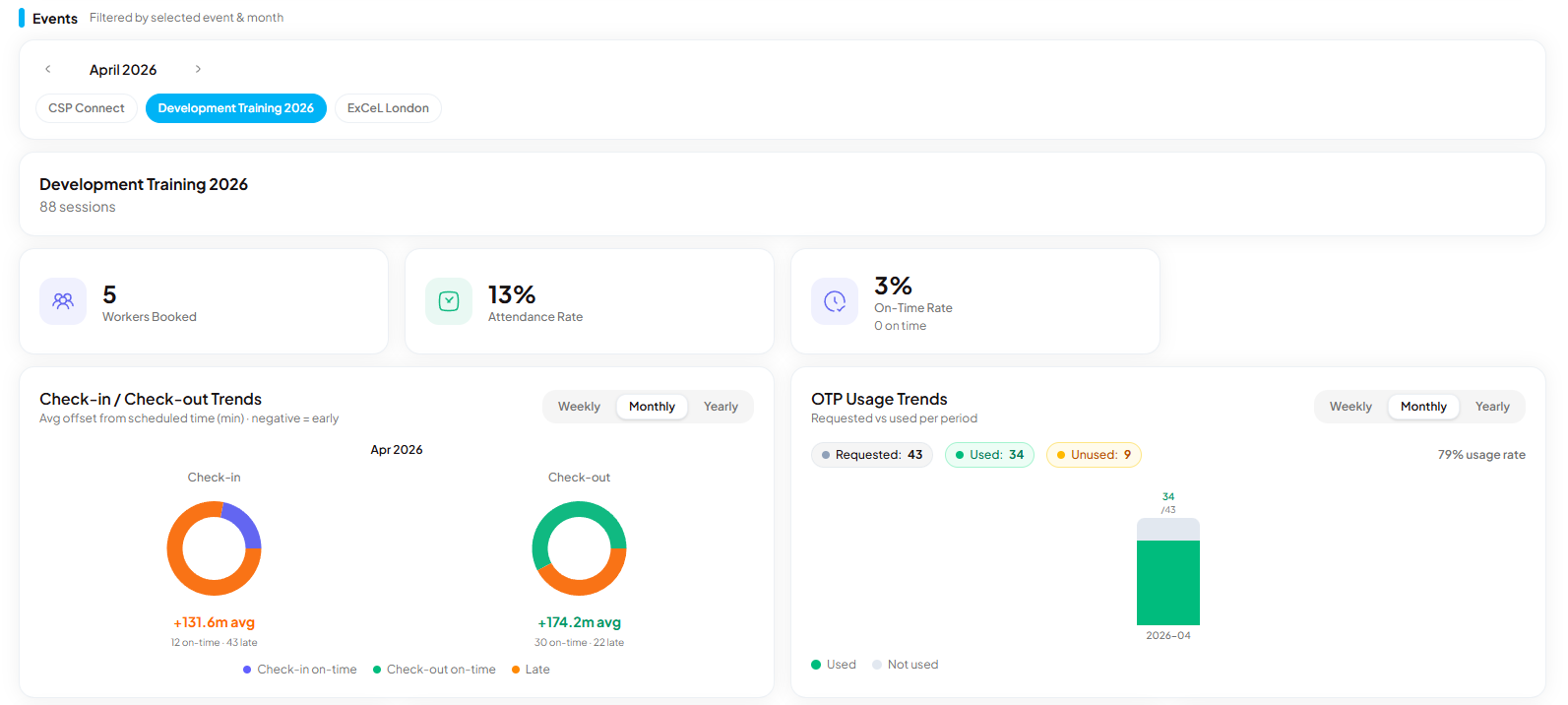
- Workforce overview - split layout - The workforce overview screen is now split into two sections: global data (all events, top) and event-specific data (bottom).
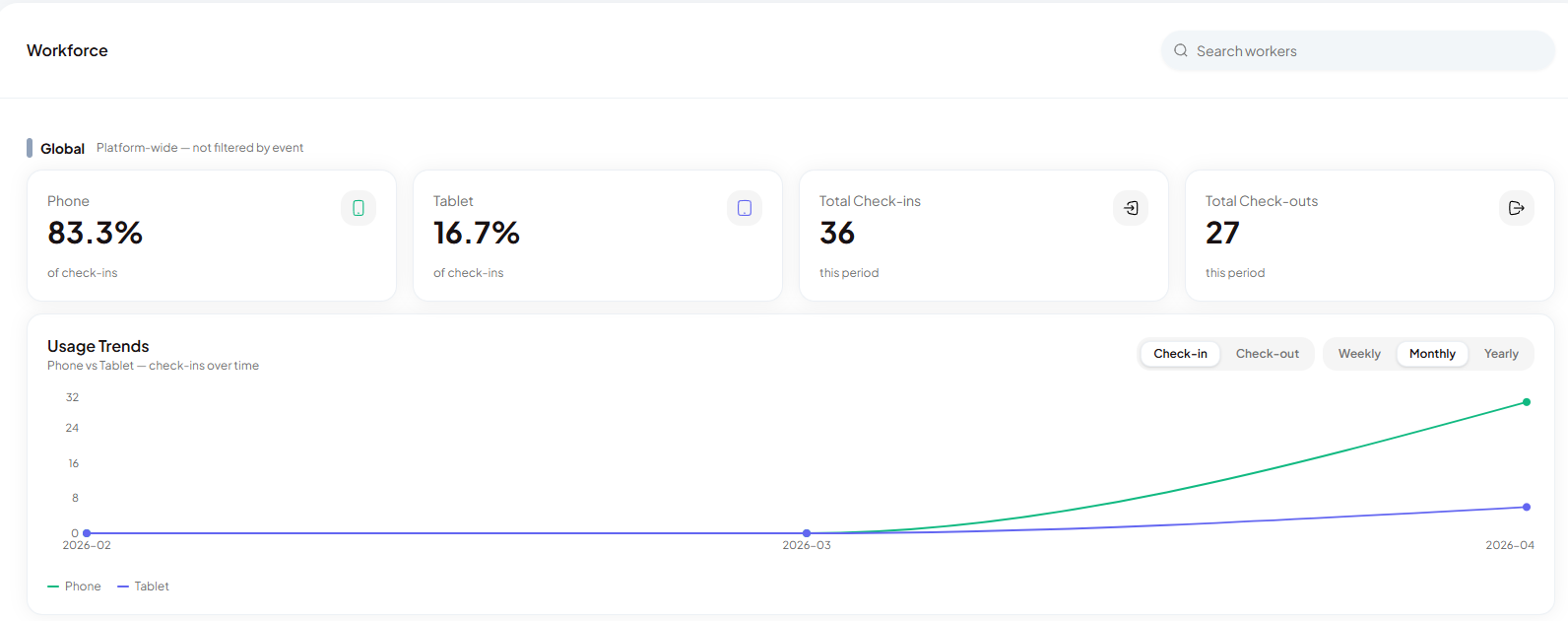
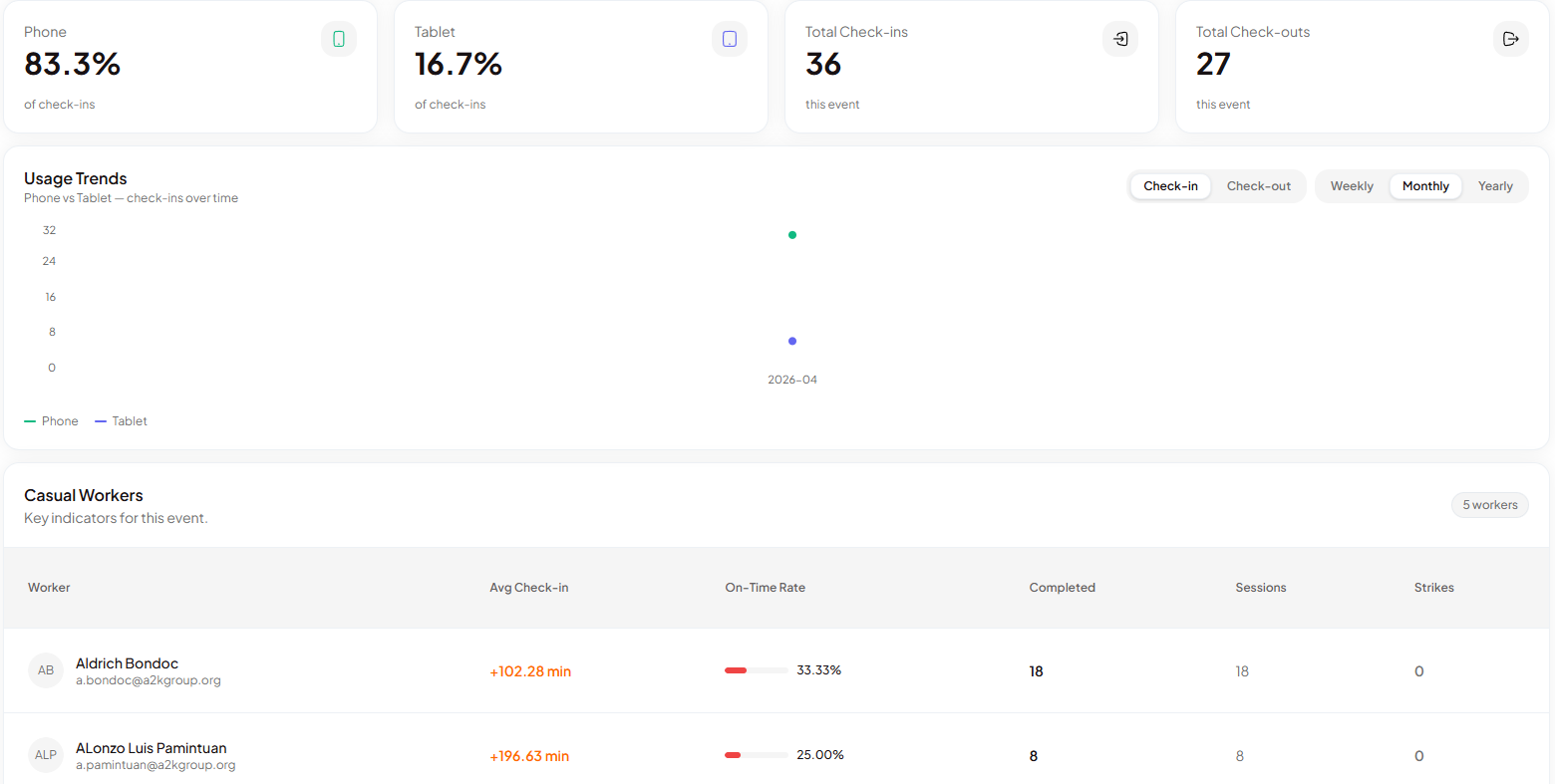
- Workforce overview - global check-in metrics - The global section now displays total check-ins, phone vs. tablet check-in percentages, and overall trends.
- OTP usage chart - A new chart shows OTP creation vs. usage, available at both global and event-specific levels.
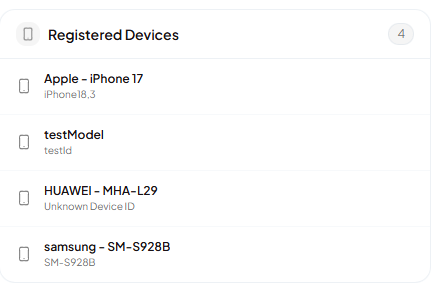
- Registered devices per worker - The worker detail view now includes a registered devices section, listing all devices a worker has used to log in and check in.
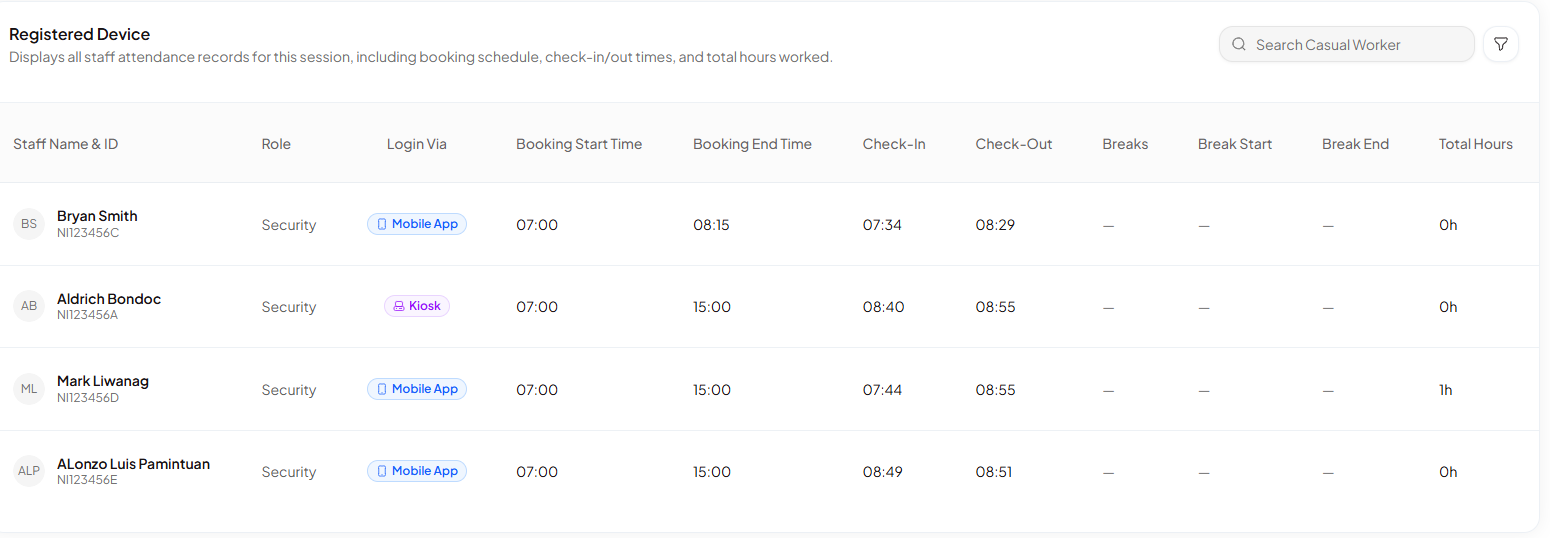
- Device tracking in attendance/payroll view - The attendance table now shows which device was used for check-in and checkout per session entry, including a distinction between kiosk and mobile.
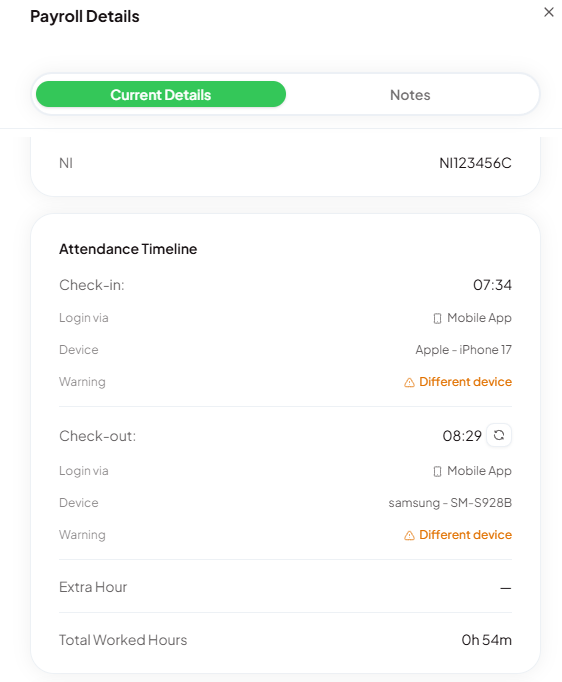
- Device mismatch warning - A warning is shown when a worker’s check-in device differs from their checkout device. Currently visible in the worker detail view only.
- Approve action - A manual approve action is now available on session entries to send attendance data back to the Accelerate platform. Currently inactive in staging.

- Calendar — payroll period visualisation - The calendar in CSP Connect now visually distinguishes payroll periods and pay deadlines. Pay dates are marked in red from January 2026 through 1 January 2027. Two-week payroll work periods are shaded in light blue. A recurring December reminder prompts collection of the following year’s payroll dates.
Kiosk
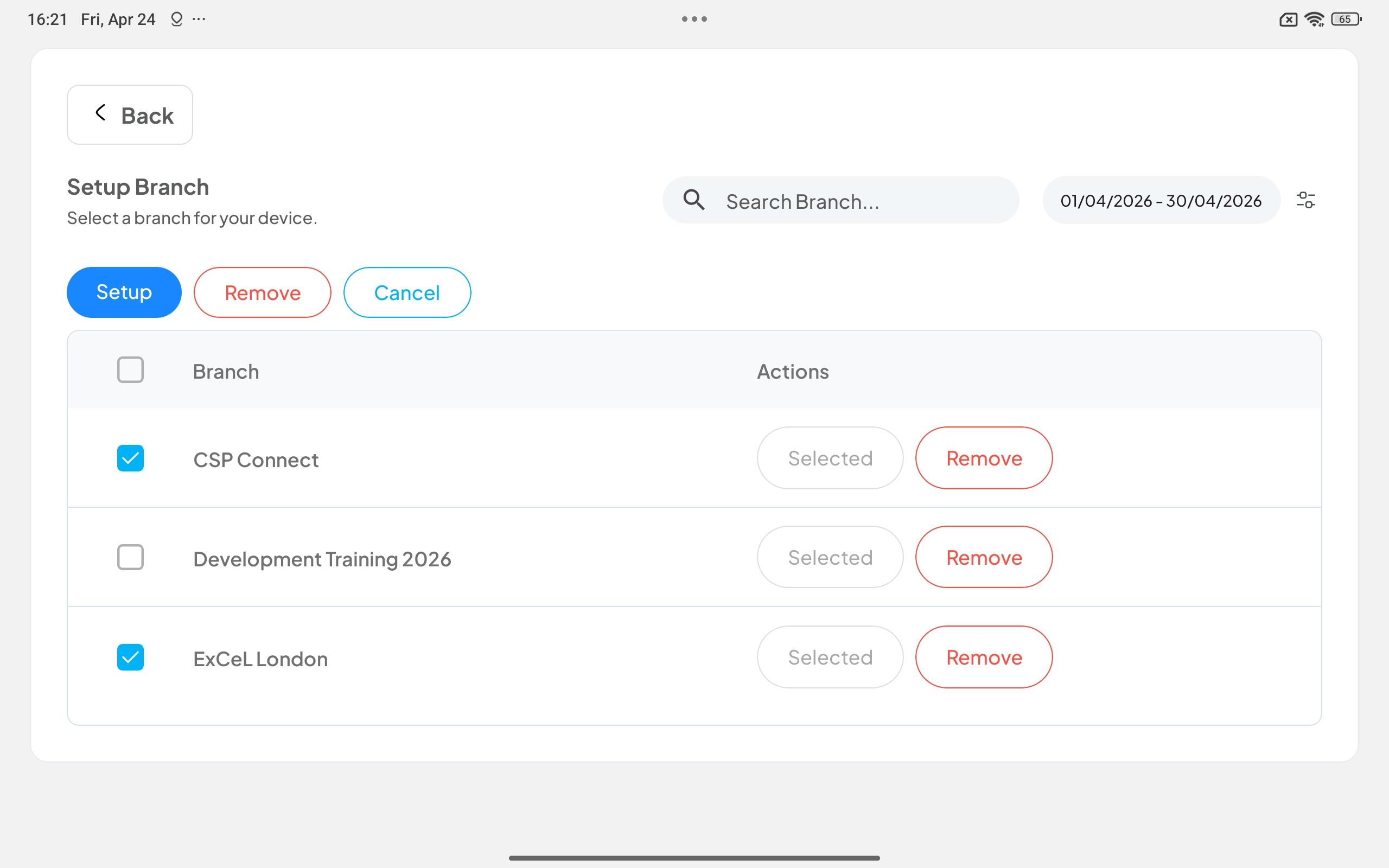
- Multi-device selection via checkbox - Admins and Managers can now select multiple devices at once from the branch setup screen using a checkbox on the left of each row.
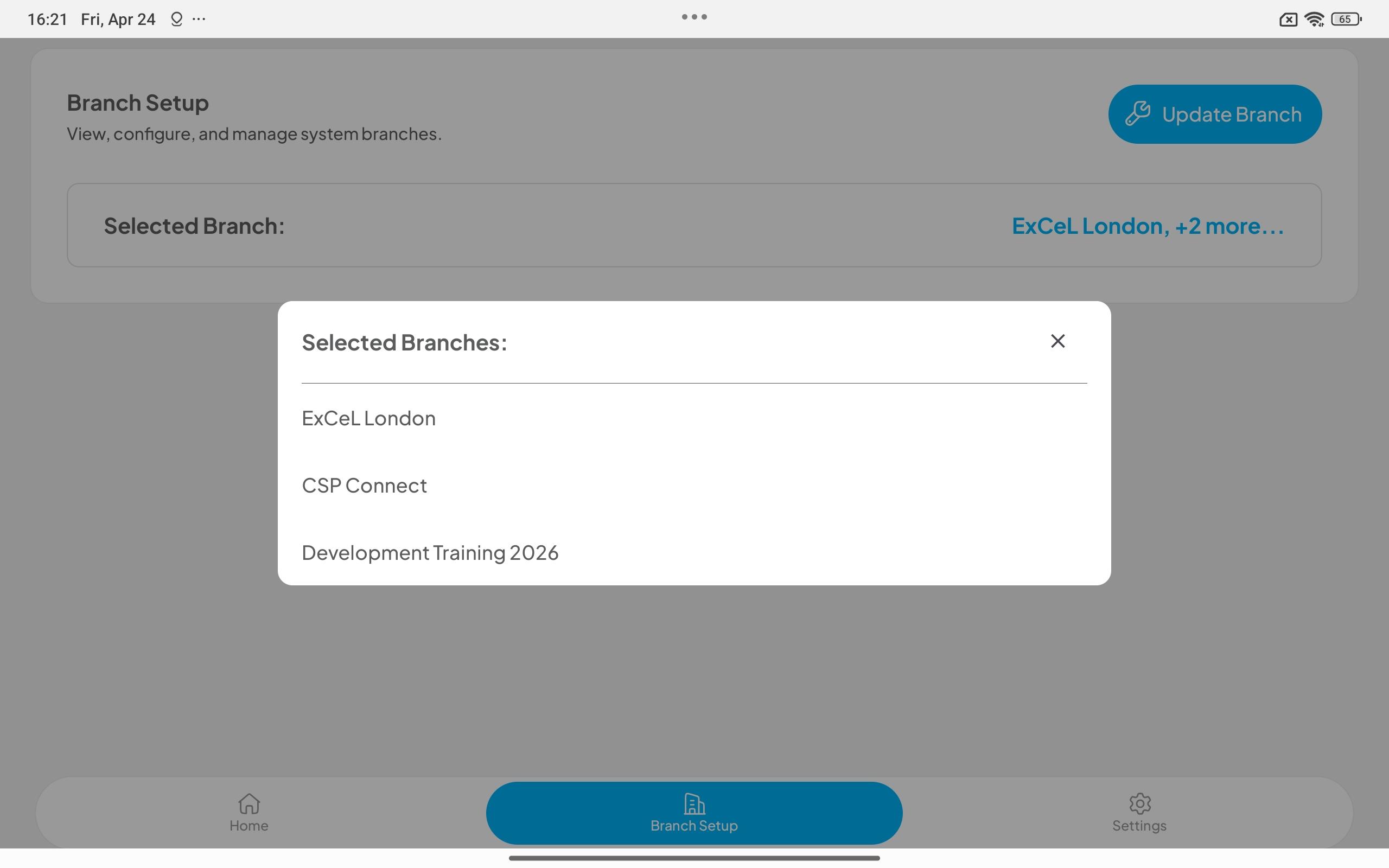
- Search bar in branch setup - A search bar is now available on the branch setup screen to quickly locate specific branches.
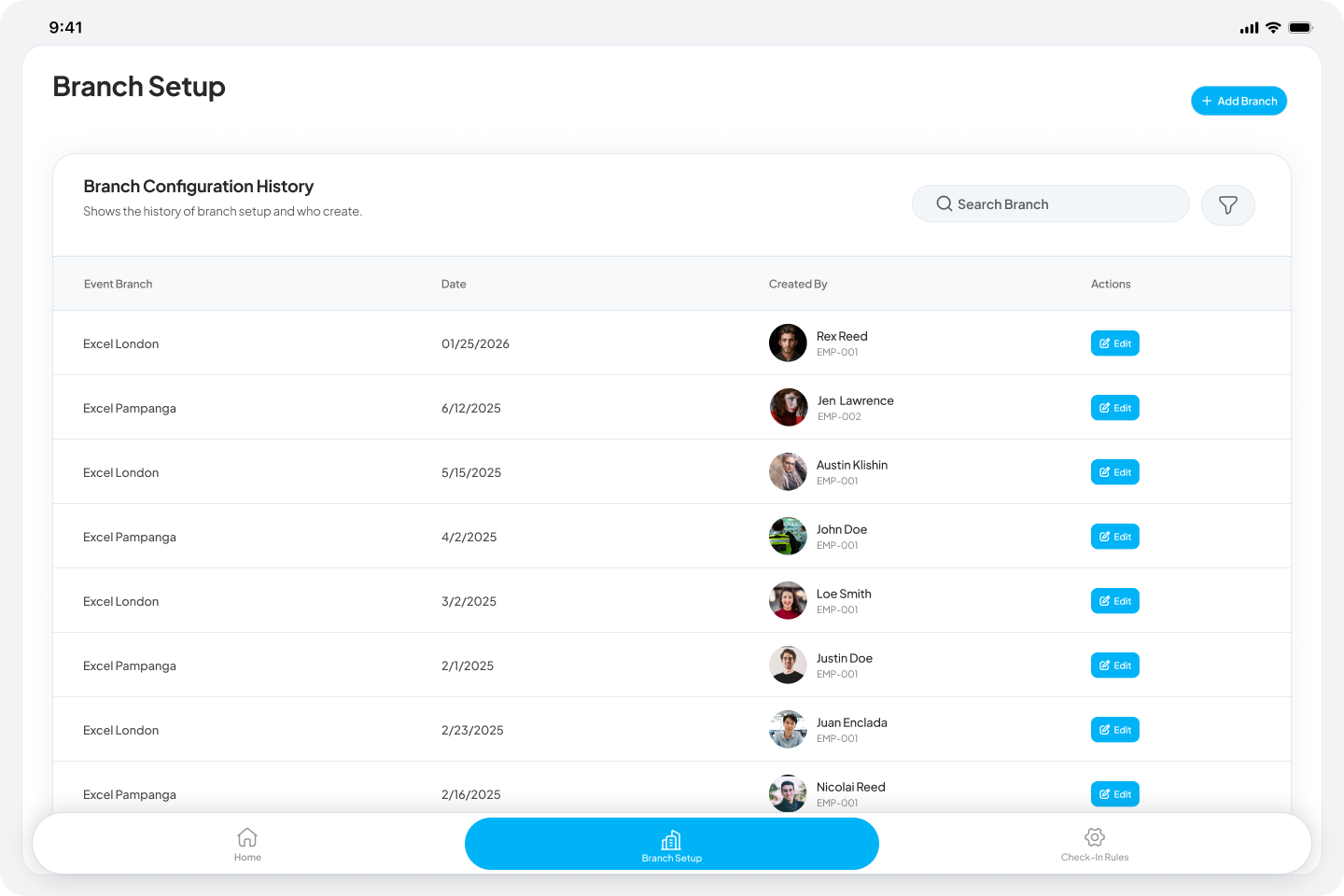
- Checkout prerequisites - Before-checkout prerequisites are now supported on the kiosk. These only appear after a worker has already checked in, acting as a gate before they can complete checkout.
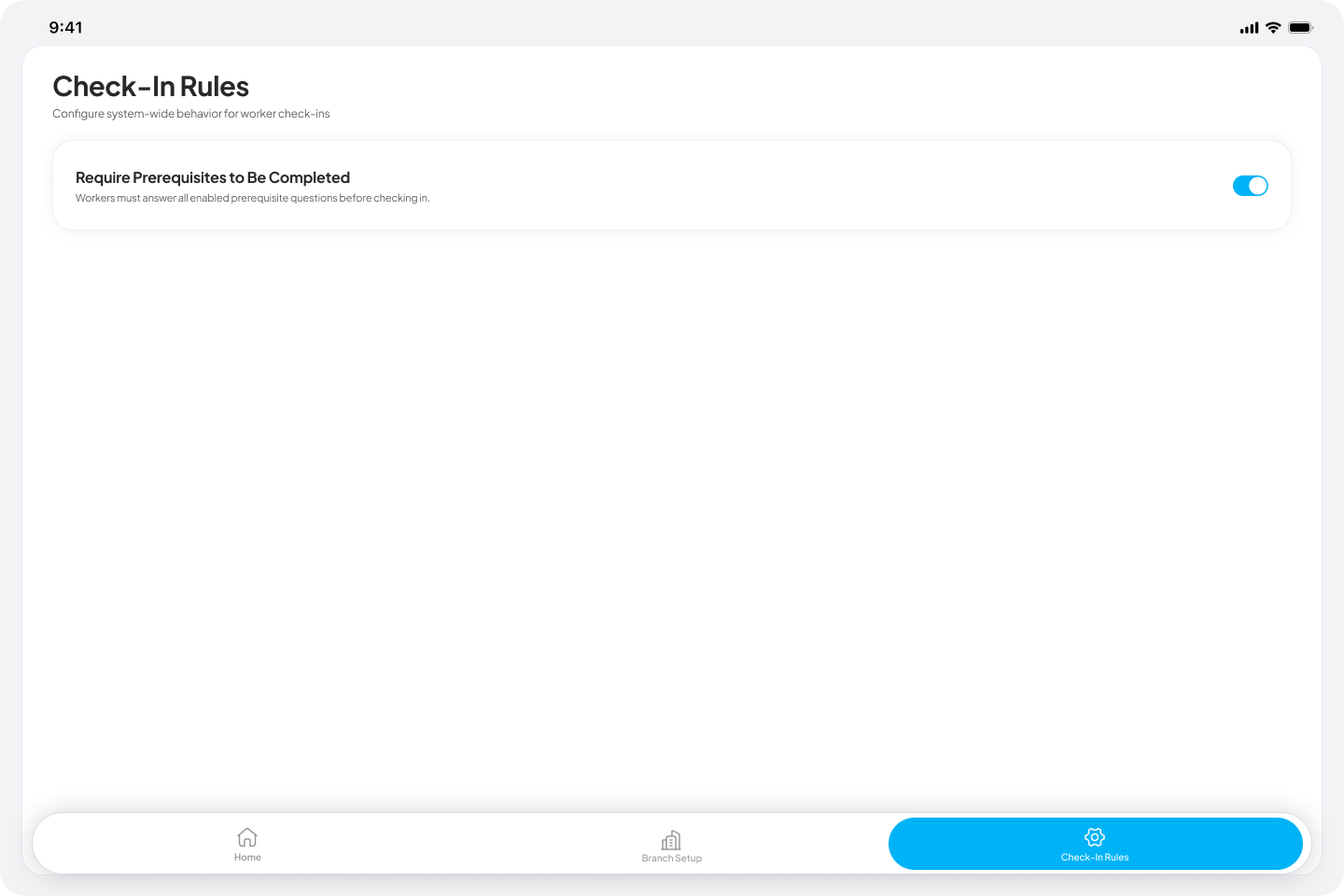
- Before check-in prerequisites - Prerequisites can now be configured to appear before a worker checks in to a session.
- PDF prerequisite viewer - Workers can now view PDF prerequisites through a browser-based viewer; downloading is not available. Known issue: photo prerequisites prompt workers twice on tablet — a toggle to disable them on kiosk is planned.
- Kiosk - responsive mobile layout - The kiosk UI now adapts to smaller screen sizes, allowing the check-in and check-out flow to be used on mobile phones in addition to dedicated tablets.
- Multi-branch selection per device - Admins and Managers can now select or remove multiple branches when setting up a single device from the branch setup screen.
Mobile App
- Checkout prerequisites - Before-checkout prerequisites are now incorporated into the mobile check-in/checkout flow, mirroring kiosk behaviour.
- Device model tracking - The mobile app now records the device model used during check-in and checkout per session per user.
- Real-time prerequisite sync - Prerequisites added or updated during a live session now push to relevant casual workers immediately, with the same acknowledgement flow as existing prerequisites. Managers and ops users can add or update prerequisites mid-shift in response to client requests or on-site changes without delay.
Changed
Web
- Events & Sessions - alphabetical sort with live events first - Events are now sorted with all live events first in A–Z order, followed by non-live events in A–Z order, in both card and table view. Changing an event’s live status moves it to the correct group immediately.
- Payroll - confirmed rounding rules - Check-in times are now always rounded UP to the nearest 15-minute boundary. Check-out times are always rounded to the booking end time.
- Payroll - auto-approval logic - Records where rounded check-in and check-out fall within the booking window (up to 30 minutes past end) are automatically approved with no manager action required. Feature is still under testing and has not been fully validated.
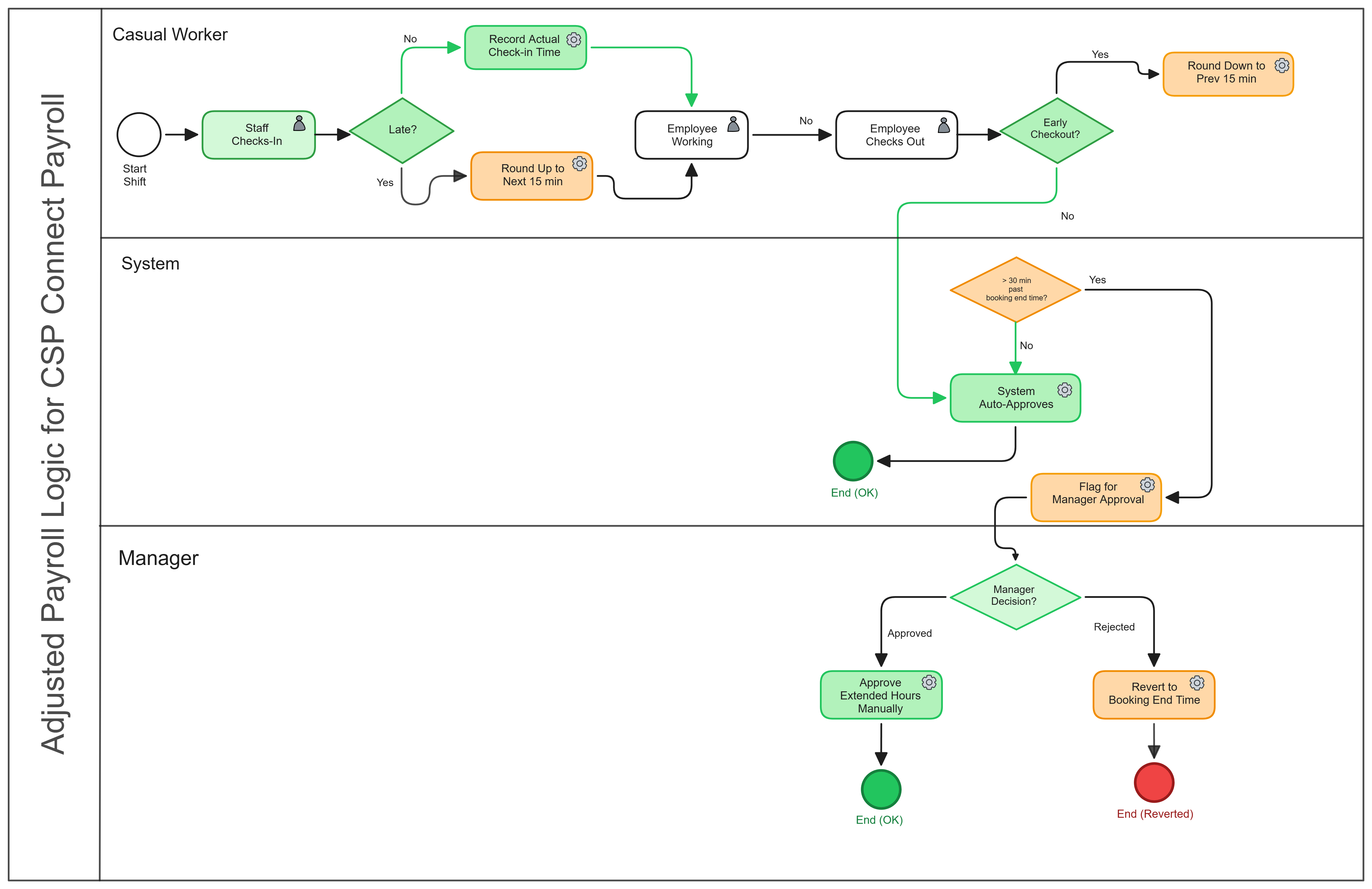
- Payroll - manual approval for extended hours - Records where checkout exceeds the booking end by more than 30 minutes surface for manual manager review. Approving requires a mandatory reason and records the actual checkout time. Rejecting discards the overtime and reverts payroll to the booking end time.
- Payroll - bulk actions - Admins/Managers can now select multiple workers and apply Approve, Reject, or Mark as Did Not Show in bulk action. A mandatory reason/note is required when bulk approving.
- Dashboard - renamed analytics label - The worker metrics section previously labelled “Performance” has been renamed to “Key Indicators” across the worker profile side sheet, headings, tabs, and page titles.
- Attendance log — status column - A status column has been added at the end of the attendance log table, showing payroll statuses consistent with the payroll view.
- Attendance log — frozen columns - The Staff Name & ID and Role columns are now frozen in the attendance log table, keeping them visible when scrolling horizontally.
- Payroll CSV export — notes column - Exporting payroll to CSV now includes a Notes column at the end of the file. Notes attached to a worker’s payroll entry are included in the cell; if no notes are present the cell is left empty.
Kiosk
- Branch setup actions - The branch setup screen now surfaces three explicit action buttons: Set Up, Remove, and Cancel, replacing the previous flow.
Fixed
Web
- Fixed managers not being able to see their assigned events on the Events & Sessions page.
- Fixed managers not seeing live events after the Events & Sessions UI was updated.
- Fixed missing option to add prerequisites on the day session page during live events.
- Fixed session headcount not updating when participants are removed, causing inflated attendance and on-time rate totals.
- Fixed alerts not triggering correctly for “Before Session Starts” and “After Session Ends” events.
- Fixed roles assigned in AXLR8 not appearing in worker profiles in CSP Connect.
- Fixed a “worker must be clocked in” error blocking location requests, liveness requests, and extended hours actions for workers who were already checked in.
Mobile App
- Fixed prerequisites added or updated on the web not being visible to workers on the mobile app.
- Fixed “Break ending soon” notifications firing too early — they now trigger at the correct time relative to when the break ends.
- Fixed workers not being redirected to the Attendance Information screen after being force checked out.
- Fixed workers not being able to return directly to Home after checking in.
- Updated OTP login screen copy to reflect that workers can self-request a login code.
- Fixed push notifications not arriving in real time until the app was closed and reopened.
- Fixed active prerequisites not being shown to workers on app login.
17 Apr 2026
v[0.4.0]
Added
Web
- Real-time notification integration: Real-time notifications are now delivered across the platform via Pusher, ensuring instant delivery of critical updates without manual page refreshes.
- Pre-requisite PDF support: PDF files can now be uploaded and viewed within the Pre-requisites module, enabling more detailed documentation for workers to review before starting a session.
- Attendance Log — Login Via and Face Verification columns: The attendance log now includes two new columns showing how each worker logged in (Mobile App or Kiosk) and the status of their face verification submission.
- Workforce Overview: A new analytics dashboard showing each casual worker’s performance across sessions. The overview includes attendance and on-time rates by role and by session, along with an individual worker side sheet covering check-in timing, break and checkout trends, strikes and standing, and prompt response averages. Data is currently based on check-in and check-out records.
- AXLR8 Sync Event for Managers: Managers are now able to sync their own respective events within the platform.
- Admins can assign managers at event scope: Once a Manager is assigned to an Event, they can view and manage all nested Sessions without requiring manual assignment to each one. The system allows for multiple Managers to be assigned to a single Event and verified that “Standard Users” cannot assign themselves; this feature is strictly exclusive to the Admin role.
- Setting Grace Periods for Breaks in Admin/Manager view: Admins and managers are now able to create break periods. They can create, edit, and delete grace periods in event level. On session level, admin/managers are able to create, select (from event level), edit, and delete grace periods.
- Revert pre-requisite acknowledgement: Managers can revert a casual worker’s pre-requisite acknowledgment. The system correctly resets the compliance state and allows for re-submission by the worker.
Kiosk
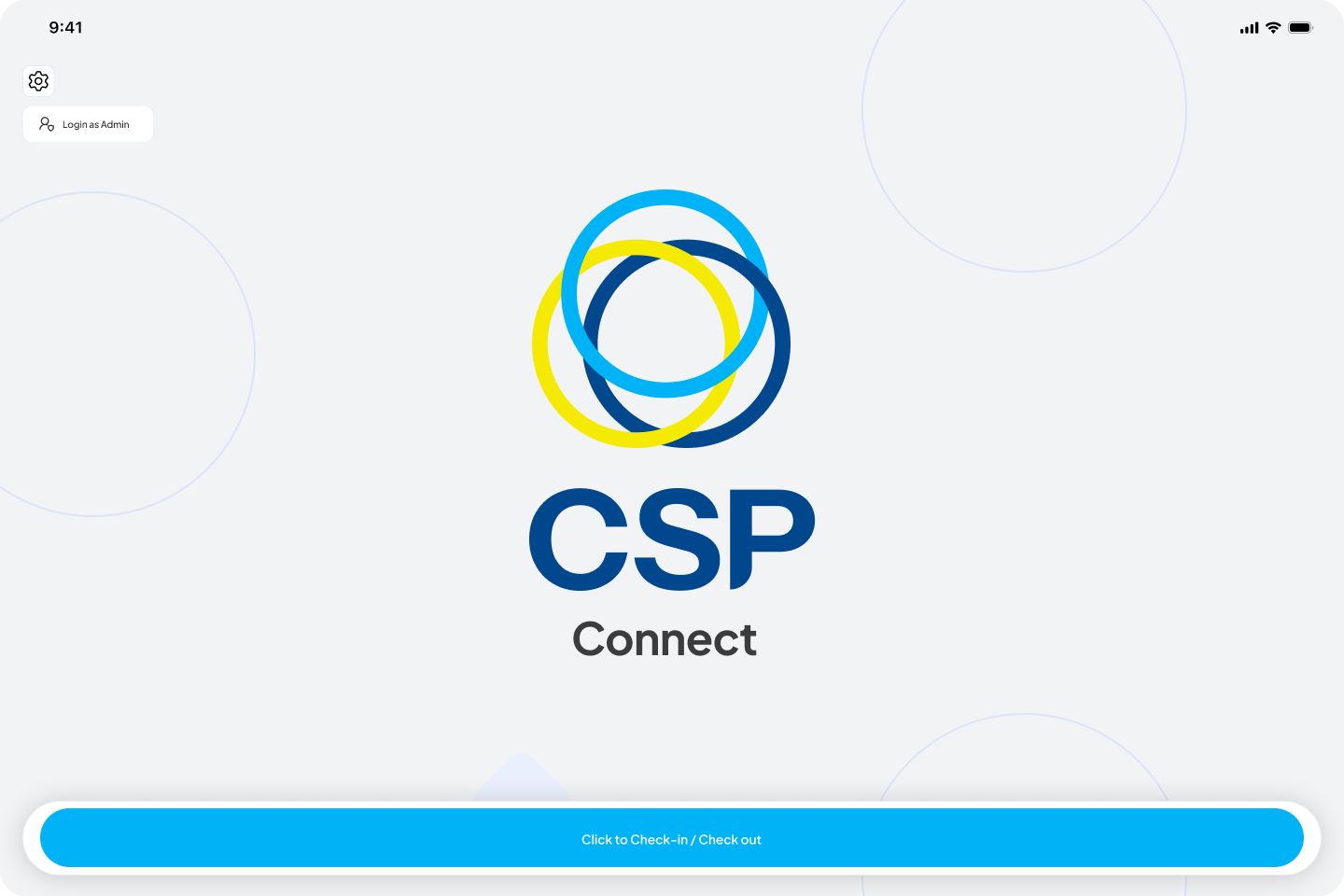
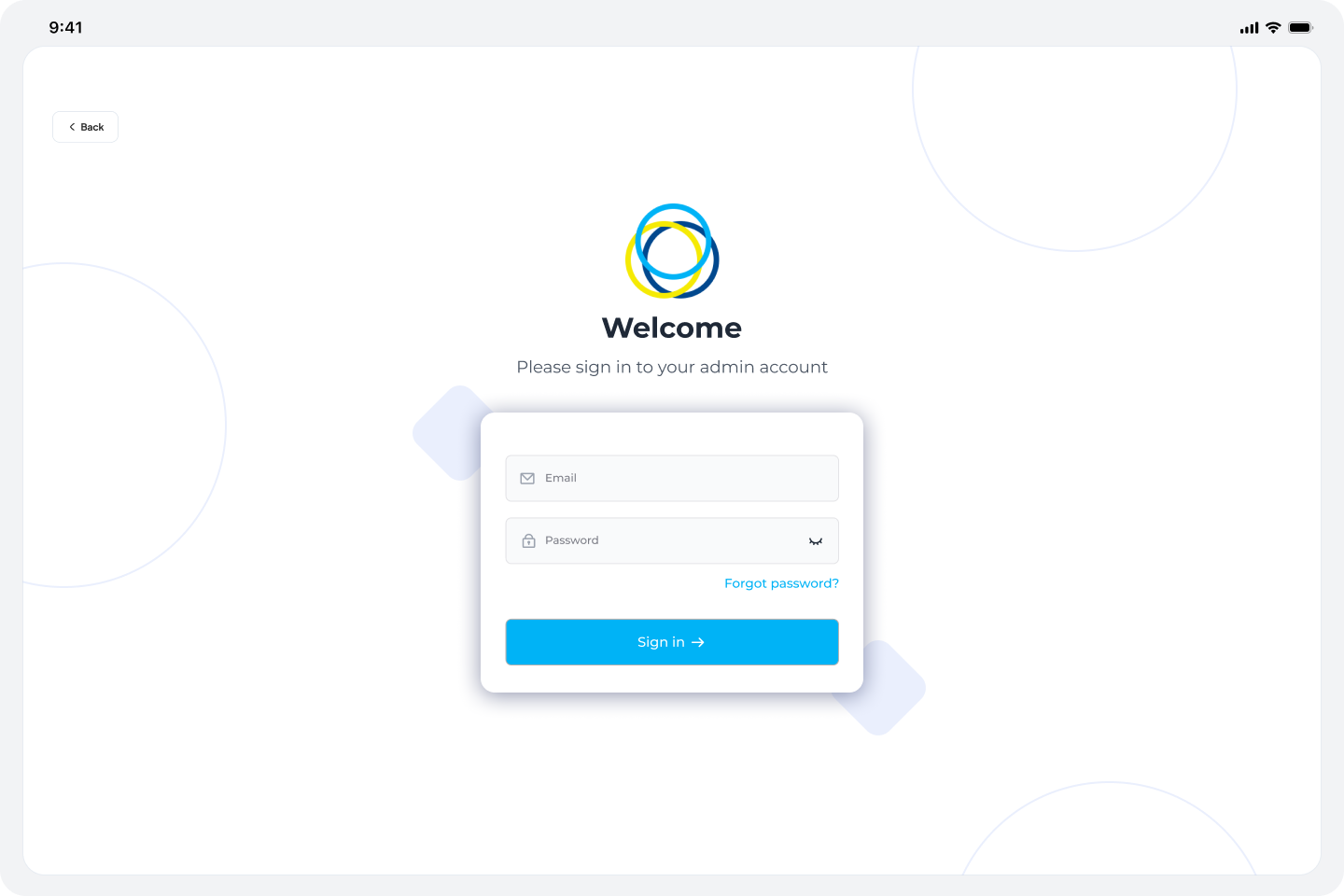
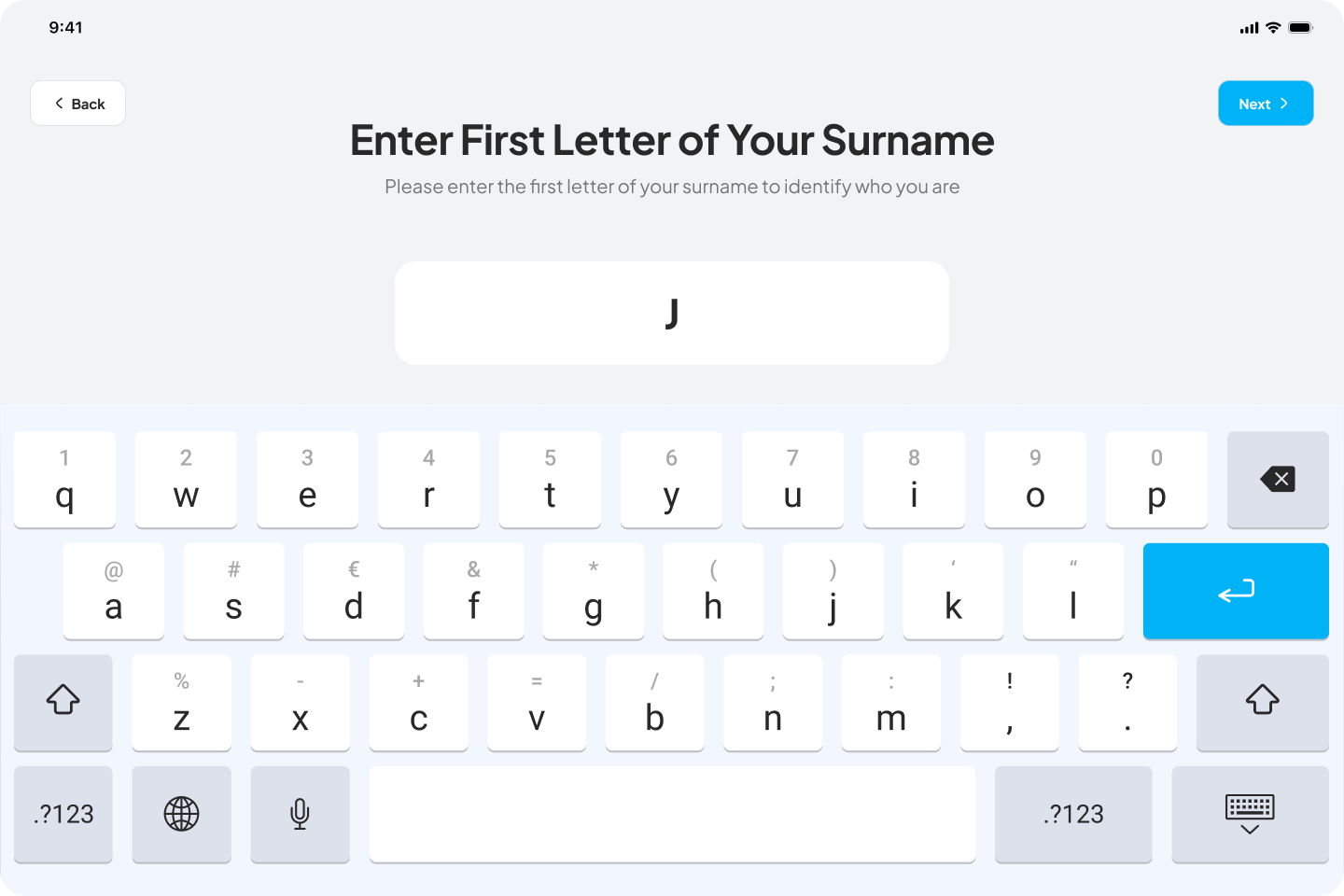
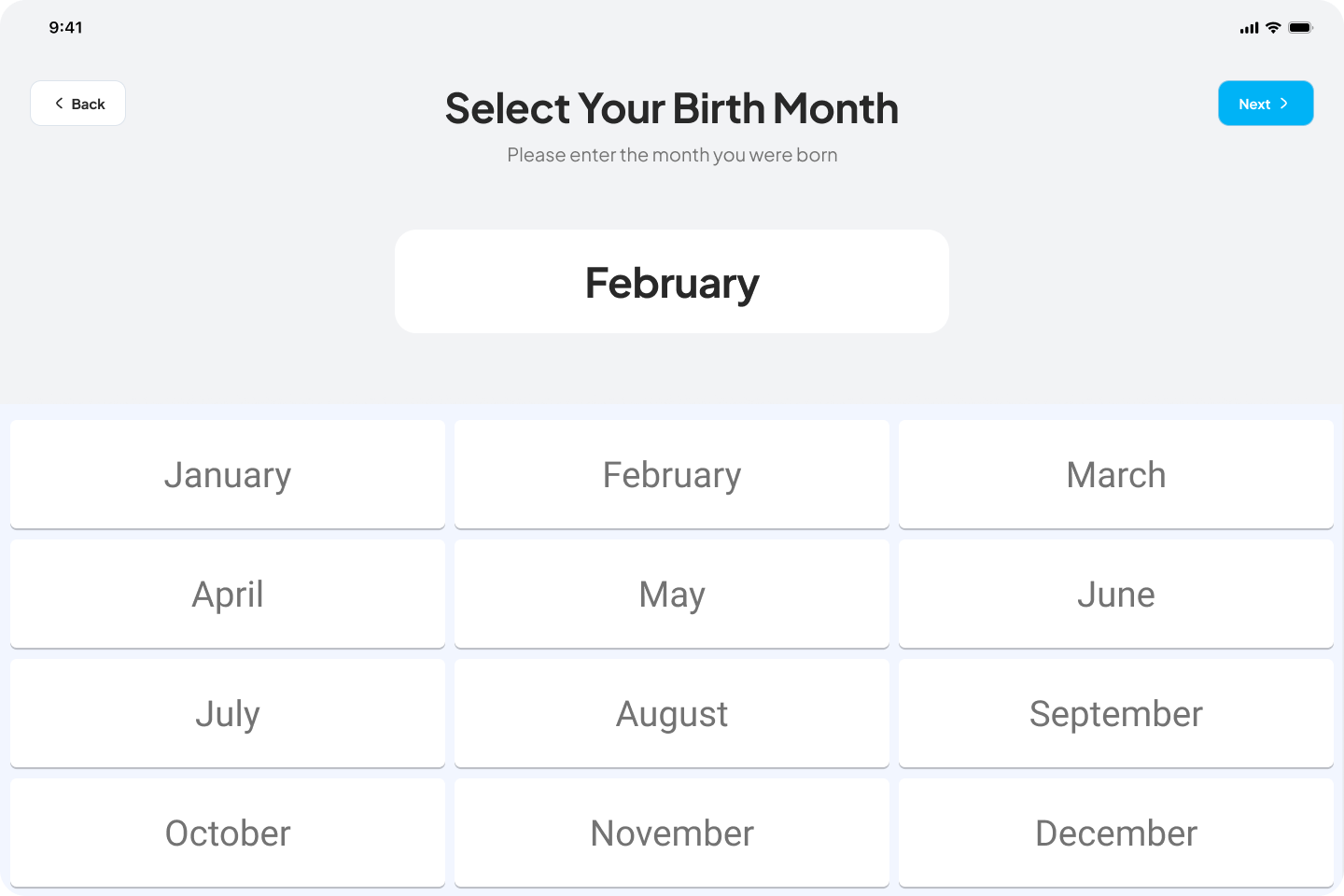
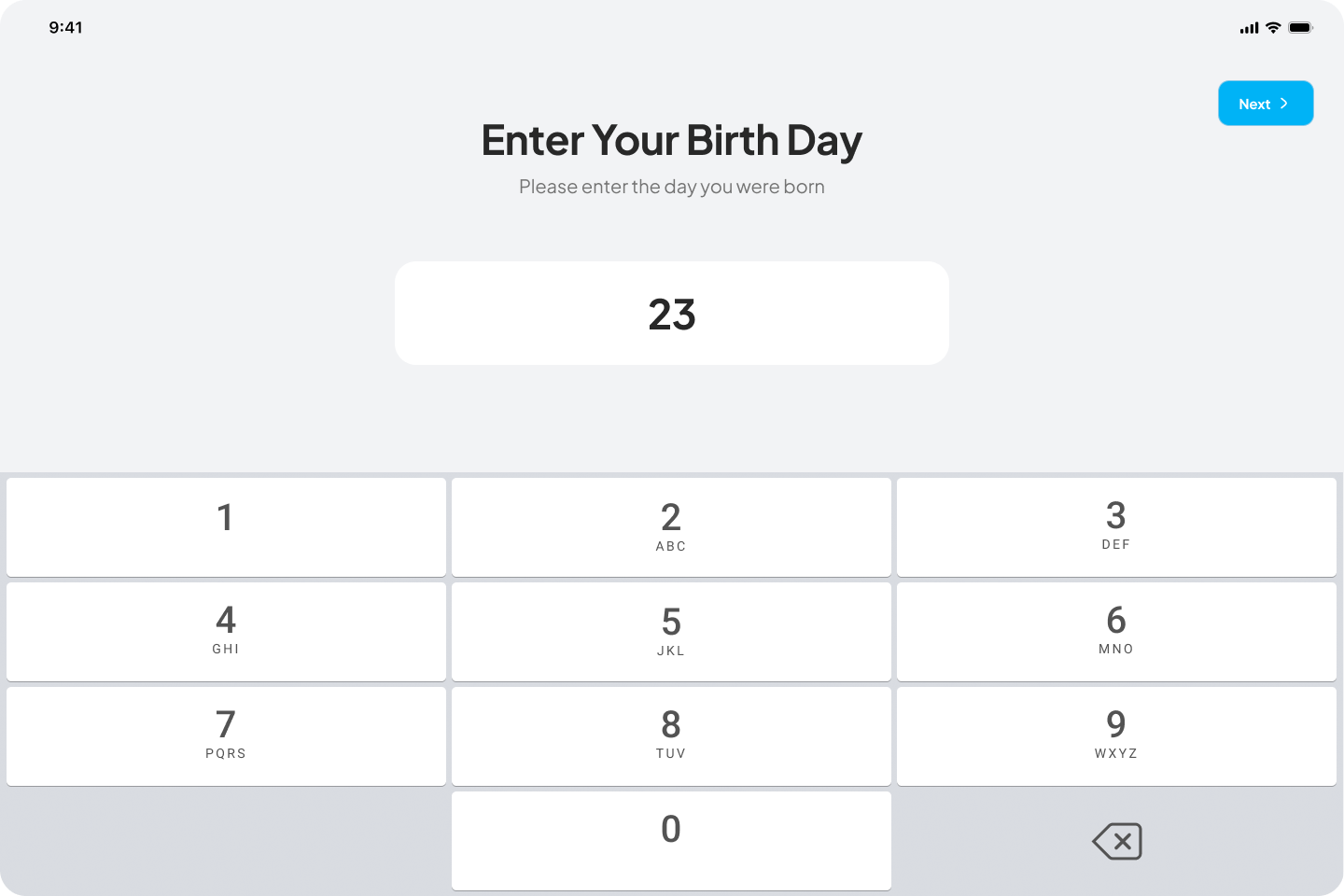
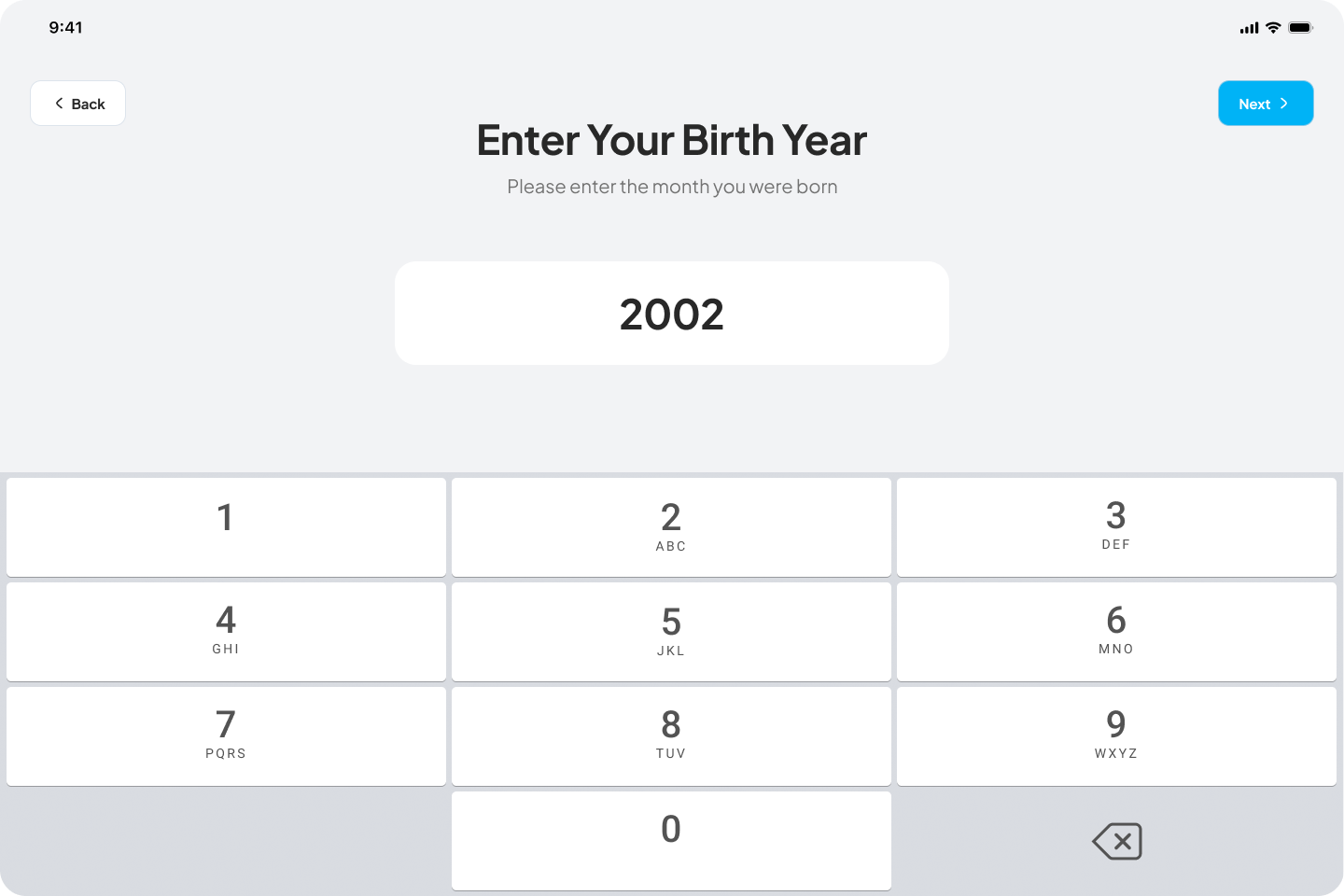
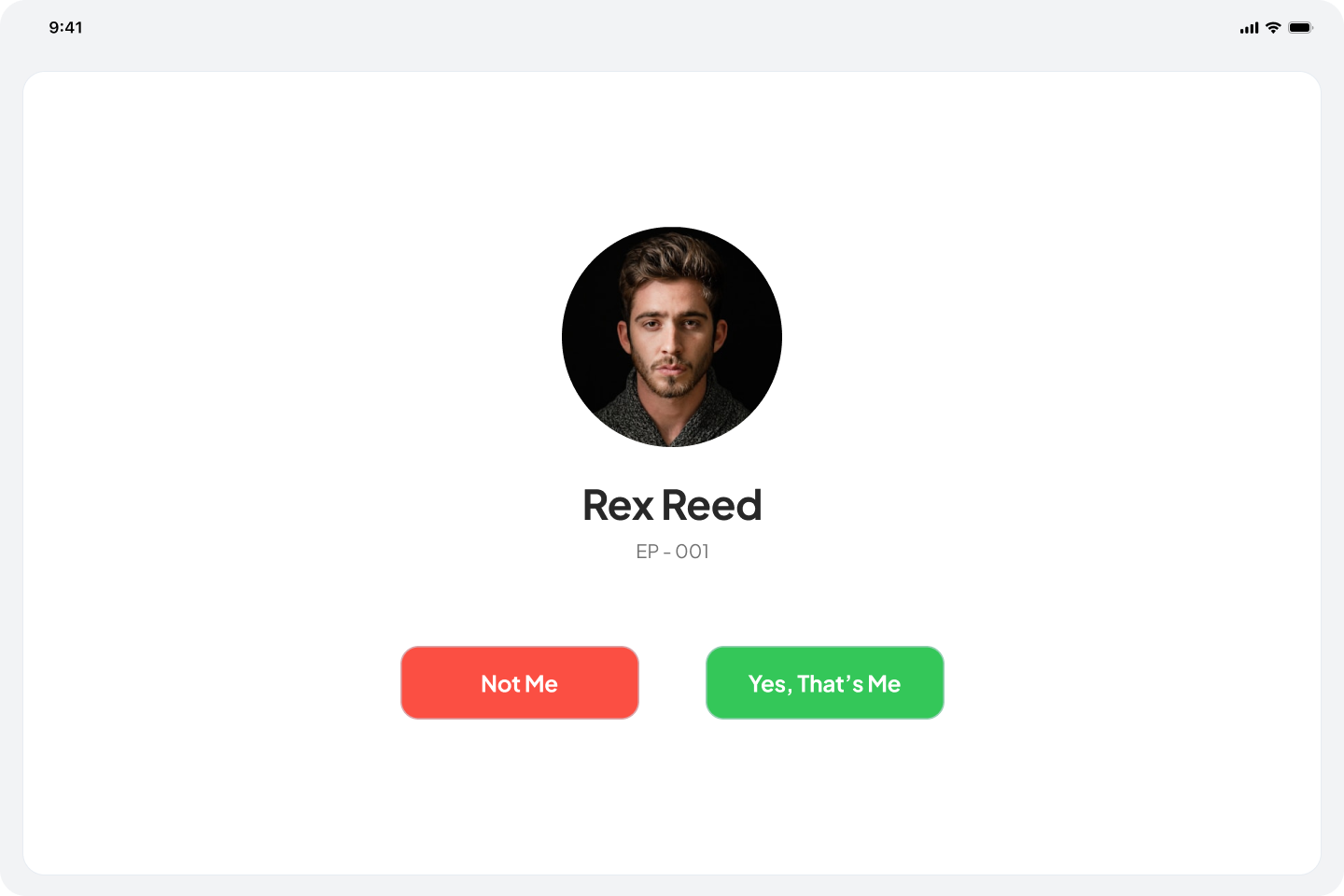
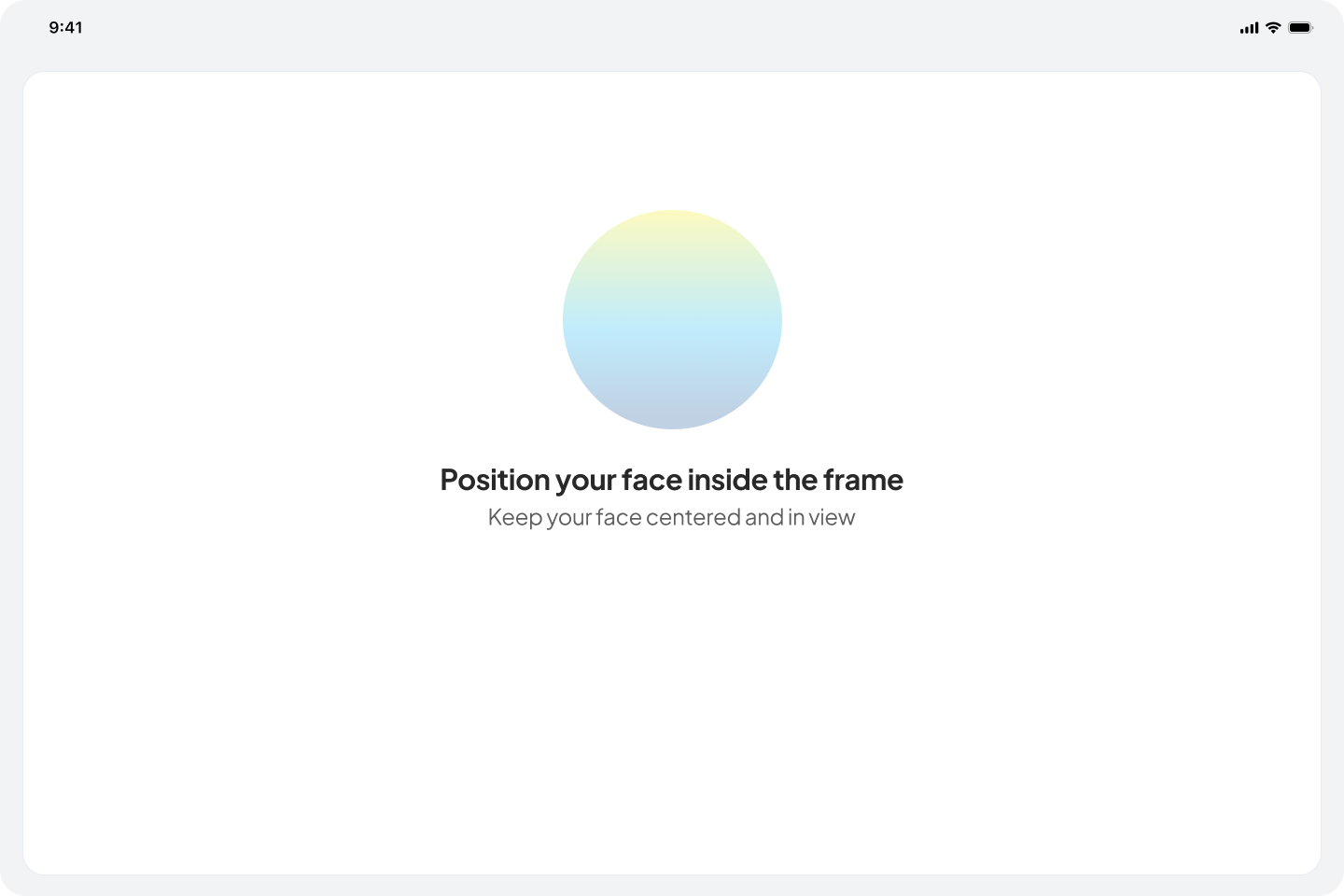
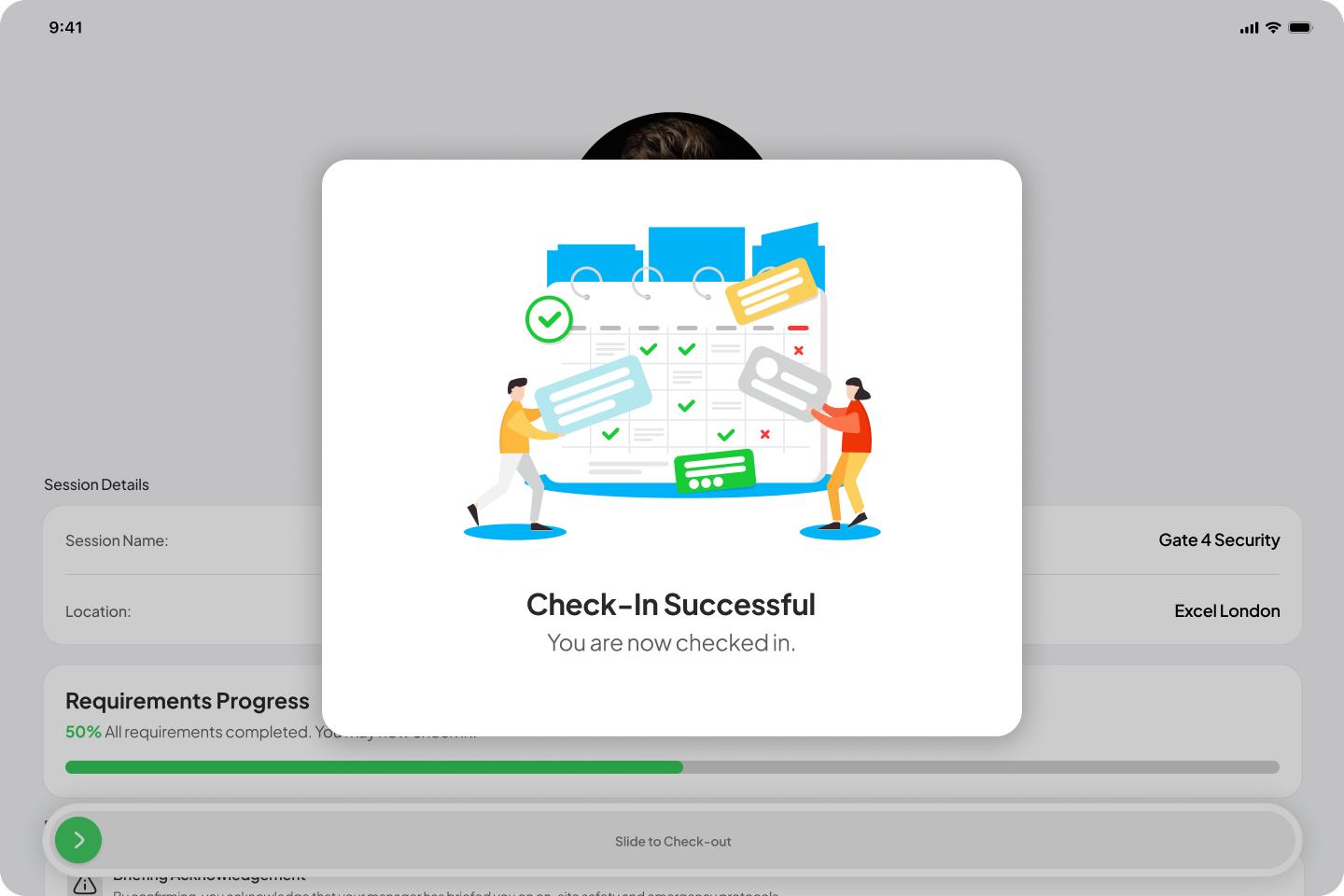
- Kiosk app: A standalone tablet app for casual workers who do not have a mobile device on site. Workers verify their identity using their date of birth and surname, complete face verification, and check in or out via a slide bar. Includes admin setup for branch configuration and check-in rules, and a face verification audit workflow for managers.
Mobile App
- Privacy-first location logic: The mobile app now automatically stops all location tracking when tracking has been disabled for a specific session.
- OTP code request on login: Casual workers can now request a new one-time login code directly from the login screen without needing to contact their manager.
- Check-out reminder alert: A new pre-configured alert type notifies workers 30 minutes and 15 minutes before their booked shift ends, prompting them to prepare for check-out by adding a “Before Session Ends” option in the Alert Configuration.
Changed
Web
- Extended hours requests: Admins can now officially request workers to extend their scheduled work hours directly from the platform.
- Event-level manager assignment: Admins can now assign managers at the specific event level, providing more control over site supervision.
- Attendance log break columns: The attendance log now includes dedicated columns for Break Start and Break End, providing a more comprehensive view of worker shifts as well as a toggle inside the column to check each break’s break start and break end.
Mobile App
- Check-in restoration: When a manager restores a casual worker’s check-in, the worker is notified and redirected to a pop-up modal to reactivate live tracking within the app.
- Do Not Disturb bypass: Notifications can now bypass Do Not Disturb settings in your Android/iOS device to ensure critical alerts are always received.
- End-of-break notification guidance: Due to technical restrictions, end-of-break notifications cannot override a device’s mute or vibration settings. A reminder has been added to the Start Break and End Break steps prompting workers to ensure their device is unmuted and vibrations are enabled.
Fixed
Web
- Fixed an issue where selected or configured alerts were not reflected correctly in some sessions.
- Restored the custom filter functionality on the main events page. Filters now remain active and persistent when navigating between different events on the same calendar day.
- Updated the Mapbox default starting coordinates to centralize on the HQ location.
- Removed the
/dashboardurl to prevent users from landing on a blank page and eliminate the false impression of a system error. - Updated permission logic so casual workers can no longer view sessions where their specific role is not set.
- Fixed a bug where the alert card failed to update in real time when changes were made.
- Resolved an issue where Late Checkout and Auto Checkout statuses were not updating correctly following amendments to booking end times in AXLR8.
- Resolved a bug where certain dates were hidden or failed to display when specific filters were applied.
- Refined the Create and Edit Alert interfaces by removing SMS and Email notification options.
27 Mar 2026
v[0.3.0]
Added
Web
- Sub-sessions: Admins and managers can create sub-sessions within a parent session, each with its own geofence radius. Sub-session radii must fall within the parent session boundary. Workers can only be assigned to one sub-session at a time. Casual workers can access and work within sessions that contain sub-sessions, but cannot create or manage them. Sub-sessions are fully optional and the system continues to function normally without them.
- Deployment map: A live deployment map is now available for admins and managers. Workers in a session pool can be filtered individually or in bulk. Toggleable overlays include liveness status, location requests, check-in and check-out markers, and break events. Worker movement trails are displayed to aid real-time tracking across large venues.
- Set location for all sessions: Admins can now apply a single location to all sessions within an event in one action, removing the need to configure each session individually.
- Session prerequisites with file attachments: PDF and document files can now be attached to session prerequisites. Workers on mobile can view attached files via the Google Docs viewer or download them directly to their device.
- AXLR8 data sync: Managers and admins can now sync booking data from AXLR8 by selecting a custom date range. The sync updates worker assignments and booking end times within the selected range. Recommended sync window is within the current week to ensure data accuracy.
- Revert and force checkout confirmation: Reverting or forcing a checkout in the payroll section now requires a confirmation prompt before the action is applied, reducing the risk of accidental changes.
Mobile App
- Break management: Workers can now start and end breaks directly from the app. Break duration ranges from 15 to 60 minutes in 5-minute increments. Multiple breaks per session are supported. A push notification is sent 5 minutes before break time ends to prompt workers to return to their post.
- Mobile session dashboard: The mobile app now displays sessions under four categories: Active, Upcoming, Missed, and Completed, giving workers a clearer overview of their schedule at a glance.
- First checkout reason input: A reason input field has been added to the first checkout action. The field label reads “Add Reason” for clarity.
Changed
Web
- Audit log consolidation: Session-related logs have been moved into a dedicated audit section. The audit log now consolidates attendance records, OTP logs, checkout logs, first checkout logs, and auto-checkout logs in a single location.
- Filter state persistence: Date range filters on the events and sessions screens are now preserved when navigating into and out of a session. Users no longer need to reapply their filter after returning to the list.
- Event card alignment: Session and event cards now enforce a maximum of two lines for the title, ensuring consistent card heights and alignment across the list view.
Mobile App
- Geofence enforcement scope: Geofence radius restrictions now apply only to check-in and check-out. Liveness checks, location requests, start break, and end break actions no longer require the worker to be within the geofence radius.
- Break terminology: Break action labels have been updated from “Break In / Break Out” to “Start Break / End Break” for clarity.
Fixed
Web
- Fixed an issue where date range filters were reset after navigating away from an event or session view.
- Fixed inconsistent card heights on the events list caused by varying title lengths.
- Fixed audit log entries not appearing after performing a revert checkout action.
Security
Mobile App
- Fake location detection : The mobile app now detects and blocks spoofed GPS locations. Workers attempting to use fake location tools or developer mode mock locations will be prevented from completing check-in, check-out, location requests, and liveness checks.
Performance
Web
- Average data loading time reduced from approximately 10 seconds down to 2 seconds.
Mobile App
- Mobile check-in and check-out response times significantly improved.